Standard Google Ads charge per click. A click is not a customer. In competitive service categories like plumbing, HVAC, and emergency locksmith, average cost per click runs $15 to $40. You might spend $300 before you get one booked job.
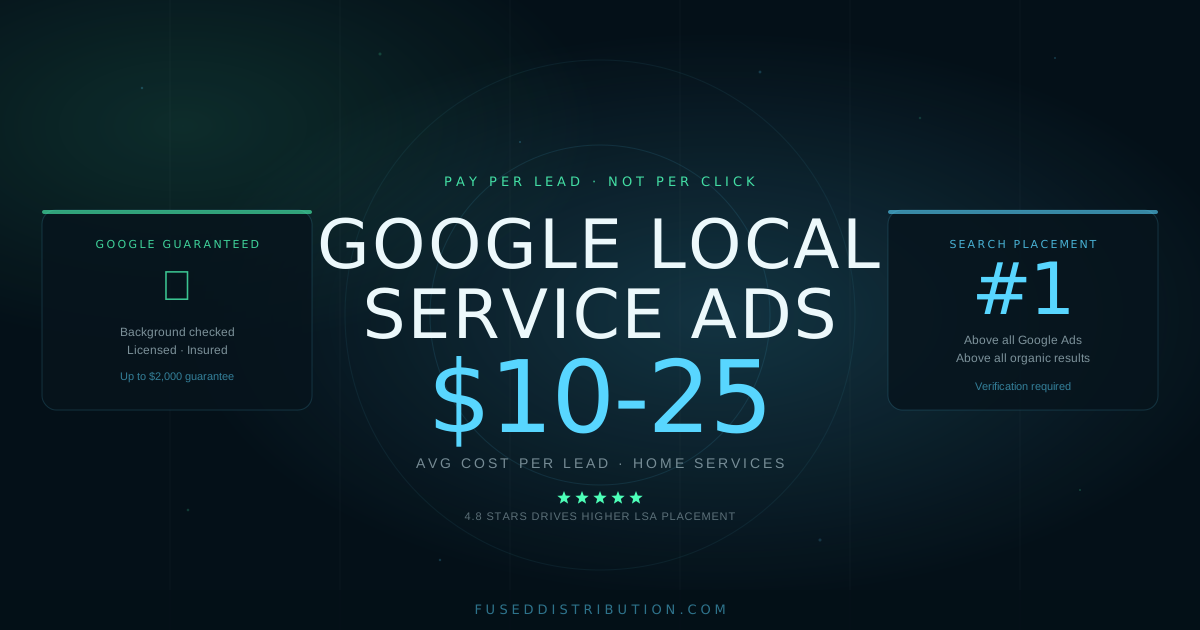
Google Local Service Ads use a different billing model. You pay per lead. When someone calls or messages you directly through your LSA listing, that triggers a charge. Random clicks, mis-tapped mobile results, and people who called the wrong number can be disputed for credits.
The qualification requirement is what makes this work. To run LSAs, your business must pass a background check, provide an active trade license, and show proof of insurance. That process is why the Google Guaranteed badge carries weight with buyers. This guide explains which businesses can qualify, what verification actually requires, and what real-world cost per lead looks like by trade.
Key Takeaways
- Google Local Service Ads appear above all other Google Ads and organic results, per Google's own documentation (2026)
- The Google Guaranteed badge covers up to $2,000 per job if a customer is unhappy with work booked through the listing
- Most home service trades see LSA cost per lead between $10 and $25; high-demand categories like roofing run higher
- Full verification takes 2-6 weeks: background check, trade license, and current certificate of insurance
What Are Google Local Service Ads?
Google Local Service Ads are a pay-per-lead format built for local service businesses. They appear in a separate unit at the very top of search results, ahead of standard Google Ads and all organic listings. A typical LSA listing shows your business name, star rating, review count, years in business, and a direct call or message button.
Two badge types exist depending on your business category.
The Google Guaranteed badge applies to home service businesses: plumbers, electricians, HVAC technicians, locksmiths, house cleaners, roofers, and dozens of related trades. If a customer is unhappy with work booked through a Google Guaranteed listing, Google reimburses them up to $2,000 for the original job cost. That's Google's commitment to the customer, not a charge to the business, per Google's consumer guarantee policy (Google, 2026).
The Google Screened badge applies to professional services: lawyers, financial planners, real estate agents, and tax specialists. Screened businesses go through the same verification steps but the listing doesn't carry the $2,000 customer guarantee.
Both badge types show at the top of search the same way. The Guaranteed badge tends to drive higher click-through because the implied financial protection reduces hesitation for new customers hiring an unfamiliar contractor.
Your LSA listing connects to your Google Business Profile. Your star rating and review count from GBP display directly on your LSA listing, which is why building reviews before launching ads matters.
Which Service Categories Qualify?
Google updates this list regularly, but the major qualifying categories as of mid-2026 include the following.
Home Services (Google Guaranteed): Air duct cleaning, appliance repair, carpet cleaning, electricians, fencing, foundation repair, garage door services, HVAC installation and repair, house cleaning, insulation, junk removal, landscaping, lawn care, locksmiths, movers, pest control, plumbers, pool services, pressure washing, roofing, siding, tree services, water damage restoration, window cleaning, and window repair.
Professional Services (Google Screened): Financial planners, lawyers across multiple practice areas including family, criminal, personal injury, immigration, and real estate, mental health providers, real estate agents, and tax specialists.
Health Services (Google Certified): Dentists and primary care providers in select markets.
If your category isn't on this list, standard Google Ads remains a good option. LSAs are not available for restaurants, retail stores, or most non-service businesses. Check eligibility at ads.google.com/local-services-ads before building expectations around the program.
What LSA Verification Actually Requires
Verification has three parts. All three must clear before your listing goes live.
Background check. Google uses a third-party verification service to screen the business owner and any employee who enters a customer's home. The check covers criminal history, sex offender registry status, and related records. Processing typically takes 3-5 business days. If an employee doesn't pass, you can exclude them from your LSA listing without affecting the rest of your application.
License verification. You upload your active trade license through the LSA dashboard. Google verifies it's valid for your state and service category. Requirements vary by state and trade. An HVAC contractor in California and one in Texas have different licensing requirements. If your license is under a different name than your business entity, you'll need supporting documentation to connect them.
Insurance verification. You upload a current certificate of insurance showing general liability at the minimum level required for your category. The certificate must show active policy dates. An expired certificate stalls the review. Get a fresh one from your insurer before you start the application if yours is close to expiring.
The full timeline from application to an approved live listing runs 2-6 weeks. How quickly you upload complete documents is the main variable. Businesses that submit everything correctly the first time move through faster.
How Much Do Google Local Service Ads Cost?
LSA pricing is cost per lead. Google defines a qualified lead as a phone call, message, or booking from someone looking for a service you offer in your listed area. You pay for that contact. You don't pay for clicks that don't result in contact.
You can dispute a lead within 30 days if it doesn't fit. Grounds for dispute include: the job is outside your listed service types, the customer is outside your service area, the call was a duplicate, or the caller hung up without speaking. Google reviews disputes and issues credits for valid cases.
Average cost per lead varies significantly by trade and market. Dense urban markets with heavy competition cost more than smaller markets. In 2025, industry benchmark data showed typical ranges by service category (WordStream Local Services Benchmark Report, 2025):
Now compare that to standard Google Ads. A plumber in a mid-size city might pay $20-35 per click for "emergency plumber near me." At a 10-15% conversion rate on a local service page, that puts cost per lead from Google Ads at $130-350 per lead. LSAs aren't always cheaper, but you're paying for direct contact with a potential customer, not for someone who clicked and left.
Set a weekly budget that equals 10-15 expected leads per week at your target CPL. Adjust after four to six weeks of real data.
LSA vs Regular Google Ads: Which Should You Use?
You don't have to pick one. Most established local service businesses run both.
LSAs are simpler to manage. No keyword lists, no negative keywords, no bid adjustments by time of day or device. Google matches your listing to searches based on your category and location. The downside is less control. You can't separate your ads by specific service type or run a targeted campaign for a single high-margin job.
Regular Google Ads give you precise control. You can run a separate campaign for "water heater replacement" at a different bid than "drain cleaning." You can write tailored copy for each service, suppress ads when you're fully booked, and target specific neighborhoods. That control comes with management time and a learning curve.
The practical approach for most local businesses: get LSA live first. It's the top position with lower complexity. Once it's generating leads and you have 4-6 weeks of CPL data, layer in Google Ads for the specific services where you want more volume. The map pack and local SEO guide covers the organic ranking side that works alongside both paid options.
How to Set Up Your LSA Campaign
Setup starts at ads.google.com/local-services-ads. Work through these steps in order.
Step 1: Check eligibility. Select your business type. The system confirms whether LSAs are available for your category in your market. Not every category is live in every region.
Step 2: Define services and area. Select every service type you offer. A plumber should check toilet repair, faucet installation, drain cleaning, water heater work, and anything else they do. Set your service area by city, zip code, or radius. A tighter area reduces wasted spend on leads outside your range.
Step 3: Start verification. Authorize the background check for yourself and any employee who goes into customer homes. Upload your license and insurance documents in the same session if possible. Incomplete submissions sit in review limbo and add weeks to your timeline.
Step 4: Set your budget. Google suggests a weekly budget. Their suggestion skews high for new advertisers. Start at 10 times your expected CPL as a weekly target. For most home services that's $150-250 per week. Adjust after you have data.
Step 5: Build your profile. Add photos of completed work, write a brief business description, confirm your hours, and enter your license number. Your profile is what searchers see when they tap your listing. A complete profile with recent job photos outperforms an empty one on click-through.
Step 6: Collect reviews before launch. Your LSA profile shows your Google Business Profile star rating. The LSA ranking algorithm favors businesses with strong recent review activity. If you have fewer than 10 reviews, prioritize getting more Google reviews before your ad goes live.
After approval, monitor your leads weekly for the first month. Dispute any that don't qualify. Review which service types are driving calls and narrow your service area if you're receiving calls far outside your working range.
Frequently Asked Questions
Sources
- Google, Local Services Ads consumer guarantee policy, retrieved 2026-06-10, support.google.com/google-ads/answer/7557708
- Google, Local Services Ads overview and eligibility, retrieved 2026-06-10, ads.google.com/local-services-ads
- WordStream, Local Services Ads Benchmark Report, 2025, wordstream.com/blog/ws/local-services-ads
- BrightLocal, Local Consumer Review Survey, 2024, brightlocal.com/research/local-consumer-review-survey/