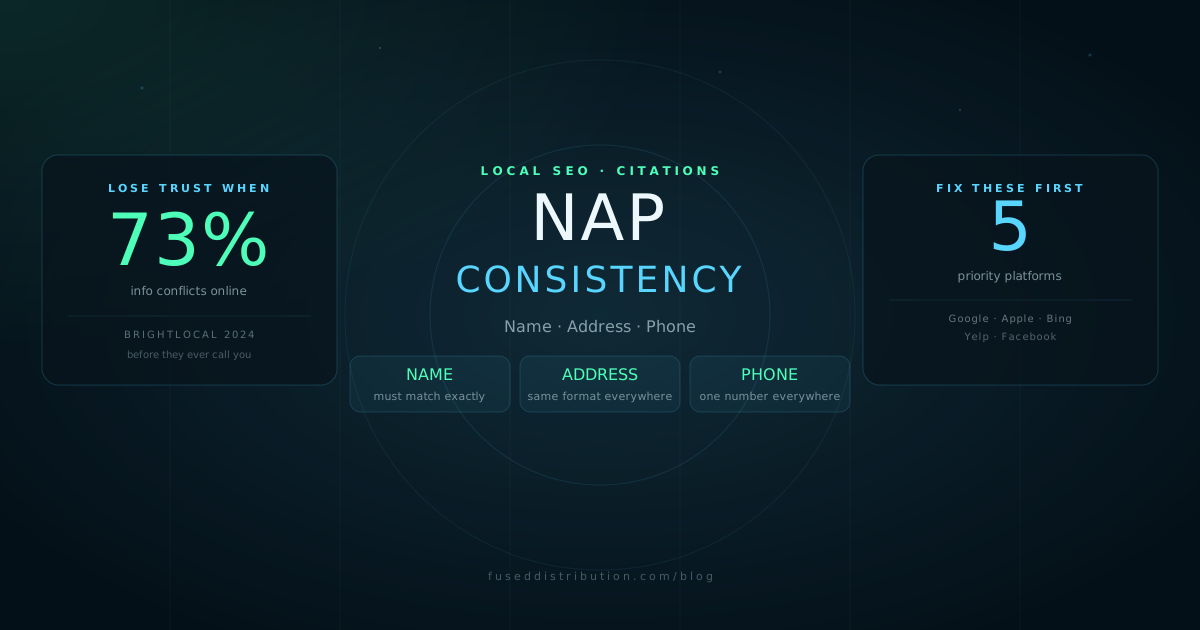
NAP consistency means your business Name, Address, and Phone number are identical on every platform where your business appears online. This includes your Google Business Profile, your website, Yelp, Facebook, Apple Maps, Bing Places, and every local directory or citation site that lists you. When your NAP data conflicts, Google cannot reliably confirm where your business is or whether it is a legitimate local operation. That confusion reduces your local search visibility.
This guide explains what NAP consistency is, why it affects local rankings, which platforms matter most, and how to audit and fix your data starting today.
Why NAP Consistency Affects Local Search
Google uses citation data to verify that your business is real, located where you say it is, and active. Citations are any mention of your business name, address, and phone number on third-party websites. When multiple citation sources agree on your NAP, Google's confidence in your business information increases. When they conflict, Google has to decide which version is correct, and it often defaults to showing your profile less prominently rather than risk showing wrong information.
This is separate from your Google Business Profile ranking, though they are related. A conflicting citation does not remove you from the map pack. It weakens one of the signals Google uses to confirm your location relevance. Combined with incomplete profile data or low review counts, it contributes to lower visibility.
When customers find different phone numbers or addresses for your business on different platforms, they lose confidence. 73 percent of consumers reported losing trust in a business after finding inconsistent information online, according to BrightLocal. That trust loss happens before they ever call you or visit your location.
What Counts as a NAP Inconsistency
The most common inconsistencies are smaller than you might expect. They accumulate gradually as the business changes over time. Common examples include:
- An old phone number still listed on Apple Maps or Yelp after a number change
- An address formatted differently across platforms: "123 Main Street" vs. "123 Main St" vs. "123 Main St."
- A business name that includes "LLC" or "Inc." on some platforms and not others
- A listing created during your business registration that was never claimed or updated
- A website that lists a different suite number than your GBP after moving offices
Each of these is a data conflict. Google's systems process citation data at scale and flag conflicts like these as uncertainty signals about your business location.
How to Audit Your NAP Consistency
A basic NAP audit takes 30 to 60 minutes and does not require any paid tools. Start with your Google Business Profile as the master record. Your GBP is what Google uses to power your listing, so every other platform should match it exactly.
- Open your Google Business Profile and note your exact business name, address format, and phone number
- Search your business name on Google. Open each listing result that appears on page one.
- Check: Apple Maps (search at maps.apple.com), Bing Places (bing.com/business), Yelp, and Facebook
- For each platform, compare the name, address, and phone number against your GBP master record exactly, including abbreviations and punctuation
- Claim any unclaimed listings and update the information to match your GBP
- After fixing the top five, check industry directories: HomeAdvisor, Angi, or similar platforms relevant to your service type
The Most Important NAP Rule
Pick one format and use it everywhere, without exception. Decide right now whether your address uses "Street" or "St." and whether your business name includes a legal suffix. Put that decision in a document you can reference when claiming new listings in the future. Inconsistency usually happens because each listing was created at a different time by a different person without a standard to follow.
Your GBP is the master record. When in doubt, match it exactly. If your GBP has an error, fix the GBP first, then update all other platforms to match the corrected version.
For the broader local SEO strategy this fits into, see the local SEO beginner guide. For building new citations, see the guide on building local citations.
Frequently Asked Questions
Sources
- BrightLocal — Local Consumer Review Survey 2024. brightlocal.com
- Moz — Local Search Ranking Factors 2023. moz.com
- Google — Manage your Business Profile on Google. support.google.com