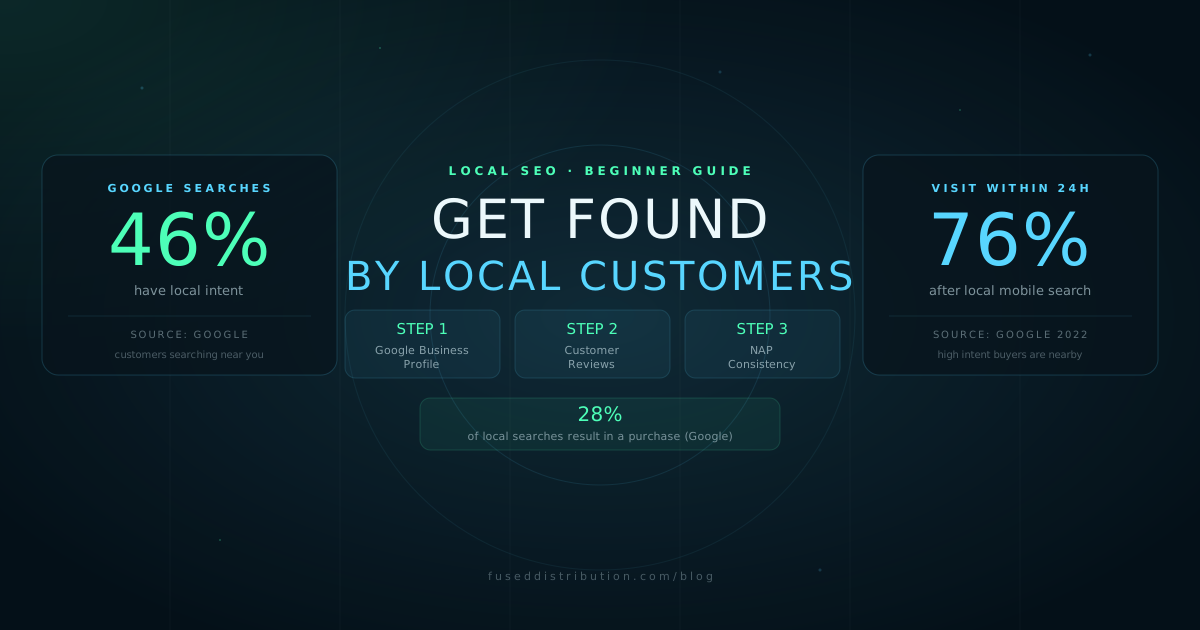
Local SEO for small business means making sure your business appears when someone nearby searches for what you offer. You do not need an agency or a complicated strategy to get started. You need three things in the right order: an accurate Google Business Profile, consistent contact information across the web, and real customer reviews. Everything else builds on those three.
This guide covers each step, what it does, and how to prioritize your time when you are starting from zero.
Step 1: Claim and Complete Your Google Business Profile
Your Google Business Profile controls what appears when someone searches your business name or a service you offer in your area. It powers your map listing, your local pack appearance, and the information panel that shows up in Google Search. If it is wrong or incomplete, no other local SEO work will overcome it.
- Go to business.google.com and claim your profile, or create one if it does not exist
- Verify the listing. Google mails a postcard with a verification code to your business address.
- Set your primary category to the most specific match for your main service. Plumber, not Contractor.
- Fill in every section: business name, address, phone number, website, hours, and description
- Add at least five photos. Exterior, interior, team photos, and examples of your work.
- Enable the messaging feature so customers can contact you from your listing
The primary category is the most important single field in your profile. Businesses with an accurate primary category receive significantly more Discovery searches than those with a generic or incorrect one. Discovery searches are people who did not know your name before searching. They represent new customers.
For a full GBP setup walkthrough, see the GBP optimization guide for 2026.
Step 2: Make Your Website Match Your GBP
Your website does not need to rank on page one to help your local SEO. It needs to confirm the same information your GBP contains. Google cross-references your profile with your website to validate your location, service area, and business type.
- Put your business name, address, and phone number on every page, typically in the footer
- Use your city and service type in your page title and H1 heading. "Plumber in Dallas TX" ranks better locally than "Expert Plumbing Services."
- Create a dedicated page for each service you want to rank for. One service per page, not a long list on a single page.
- If you serve multiple towns, add a brief page for each one. List the town name, your service, and a paragraph about what you do there.
Do not stuff keywords. Write the way you speak to a customer on the phone. "We repair water heaters in north Dallas" works. "Best water heater repair Dallas TX top plumber service" does not.
Step 3: Build Reviews Before Anything Else
Reviews are the fastest path to local search visibility for most small businesses. Google uses review count, average rating, and review recency as ranking signals. Businesses with more reviews and higher ratings appear higher in the map pack more consistently than businesses with strong websites and weak review profiles.
You cannot buy reviews or incentivize them without violating Google's policies. What you can do is ask. The simplest method: after completing a job or service, send the customer a direct link to your Google review page. Most people do not leave reviews because they do not think to do it, not because they are unwilling.
- Go to your GBP dashboard, click Ask for reviews, and copy the review link
- Send it by text or email immediately after completing a job. Same day works best.
- Say something like: "Thanks for choosing us. If you have a minute, a quick Google review helps us a lot: [link]"
- Respond to every review you receive, positive and negative. This signals to Google that your profile is managed.
For a full approach to managing your review profile, see the guide on online review management for local businesses.
Step 4: Keep Your Contact Information Consistent
NAP consistency means your business Name, Address, and Phone number are identical everywhere they appear online. This includes your Google Business Profile, your website, Yelp, Facebook, Apple Maps, Bing Places, and any local directory or chamber of commerce listing you have.
If one directory has an old phone number, or if your address uses "St." while another uses "Street," Google's ability to validate your business location weakens. This does not cause a major ranking penalty on its own, but it adds up. Inconsistent NAP data is one of the most common avoidable local SEO problems.
Start by searching your business name on Google and checking the first page of results. Look at each listing you find and confirm the name, address, and phone match your GBP exactly. Fix any that do not. For a detailed walkthrough, see the guide on NAP consistency and why it matters.
What to Ignore When You Are Starting Out
Local SEO has a lot of tactics that matter eventually but should not be your first focus. Avoid spending time on these until your GBP, reviews, and NAP consistency are in good shape:
- Backlink building: Important for organic ranking, but it does not move the needle on local pack visibility the way GBP does.
- Social media: Social signals are not a direct local ranking factor. Post if you want to, but do not count it as SEO work.
- Impressions and reach metrics: These do not correlate to calls or customers. Track calls, direction requests, and website clicks from your GBP instead.
- Weekly blog posts: Content helps with organic ranking over time, but it will not fix a GBP with the wrong primary category or no reviews.
Frequently Asked Questions
Sources
- Google — Think with Google: Local search behavior. thinkwithgoogle.com
- Google — Understanding consumers' local search behavior, 2022. thinkwithgoogle.com
- BrightLocal — Local Consumer Review Survey 2024. brightlocal.com
- Moz — Local Search Ranking Factors 2023. moz.com