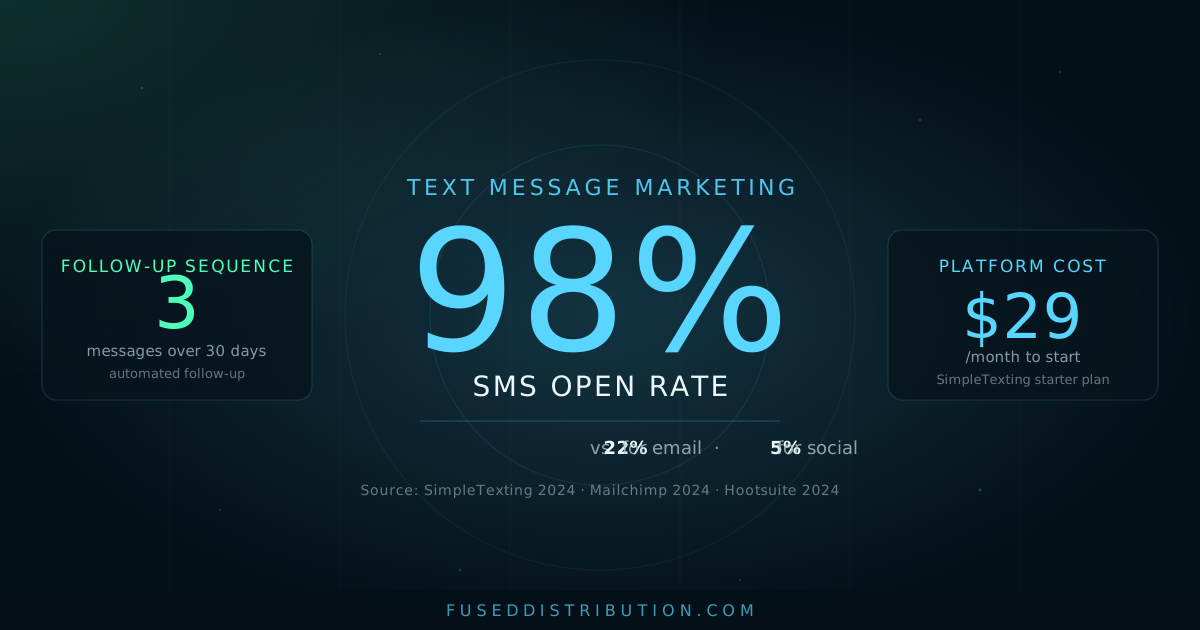
Nine out of ten text messages get opened. Not delivered, not sent — opened. The average email open rate for small service businesses is around 22 percent, according to Mailchimp's 2024 industry benchmark data. That's a 76-point gap, and it's the reason text message marketing works when most other follow-up channels don't.
This post covers the three things you need to run it well: the legal opt-in requirement you can't skip, a 3-message sequence that fits any service business, and the tools that handle it for under $30 a month.
Why SMS Gets Read and Email Doesn't
In 2024, SimpleTexting published their annual SMS marketing report drawing on data from over 180,000 business accounts. SMS open rates averaged 98 percent across all industry categories. Email open rates for the same period averaged 22 percent per Mailchimp's benchmark data. Facebook organic posts reached fewer than 6 percent of followers on average, according to Hootsuite's 2024 Digital Trends report.
The reason isn't complicated. Your email inbox has thousands of unread messages. Your phone's text thread has maybe a dozen. When something new arrives, you read it — usually within 90 seconds. That's the attention window text marketing gives you, and it's one no other channel can match at the same cost.
For local businesses, this matters because the 30 days after a first purchase are your best window to lock in a repeat customer. Most businesses do nothing in that window. The ones that send a simple text or two get significantly more return visits than those that don't.
The Rule You Cannot Skip: Getting Opt-In the Right Way
The Telephone Consumer Protection Act (TCPA) requires explicit written consent before you send any marketing text. Since 2023, the FCC has increased enforcement, with fines running up to $1,500 per message for violations. Getting opt-in right isn't optional — it's the foundation the whole system sits on.
Three methods work reliably for local businesses:
- Checkout or booking form: A checkbox with this language: "I agree to receive text messages from [Business Name]. Msg and data rates may apply. Reply STOP to opt out at any time." The checkbox must be unchecked by default.
- Keyword opt-in: The customer texts a word like DEALS or BOOK to your number. Your platform sends an automatic confirmation. Clean and fully documented.
- Paper sign-up: A sign-up sheet at the counter with the same disclosure language. Works well for trades and service businesses where the customer is on-site.
What you cannot do: import your existing contact list and start texting. Even if someone gave you their number for a quote, a service call, or an appointment, that doesn't constitute written consent for marketing messages. The opt-in has to be explicit and specific to texts.
Every marketing text must include an opt-out path. Platforms like SimpleTexting and EZTexting handle "Reply STOP to opt out" automatically on your first message. Confirm it's active before you send anything.

The 3-Message Follow-Up Sequence
This sequence works for landscapers, auto shops, hair salons, restaurants, plumbers — any business where the customer comes to you or you go to them. The timing is what makes it effective, not the length.
Message 1: Same day or next morning
No promotion. No call to action. Just a direct line back to a real person. This message generates replies about 20 to 30 percent of the time — questions about their service, something they forgot to mention, or just a "thanks." Every reply is a conversation you can use to solve a problem before it turns into a negative review.
Message 2: Day 3 or 4
The specific offer matters more than you'd think. "10 percent off your next visit" works. "Come back soon" doesn't. Give them a concrete reason with a loose deadline. "This week" creates enough urgency without feeling pushy. A yes reply books itself — you just follow up to confirm the time.
Message 3: Day 28 to 30
One-word reply. No friction. A customer who had a good experience 30 days ago and hasn't been contacted since is far more likely to respond to this than a cold message would suggest. You're not selling to a stranger — you're reminding someone who already chose you.
Set all three messages as an automated sequence in your SMS platform. They fire after each new opt-in. You write them once, and they run on their own after that. The only manual work is replying to the conversations they start.
Which Platform to Use
You don't need an enterprise solution. Three tools work well for local businesses with under 2,000 contacts:
- SimpleTexting — Starts at $29/month for 500 texts. Clean interface, keyword opt-ins, and automation sequences. The best starting point for most service businesses. Handles TCPA compliance features including automatic STOP processing.
- EZTexting — Starts around $24/month. Slightly better list management features. Works well for restaurants and retail where you're managing a larger contact list with different segments.
- Podium — More expensive (starts around $300/month), but it ties SMS, Google review requests, and payment collection into one platform. Worth it only if you're planning to use all three features. Don't pay for it just for texting.
Any of these connects to your existing business number or gives you a dedicated local number. Setup takes an afternoon, not a week. You're writing three message templates, not building a CRM.

Four Mistakes That Kill the Results
Texting without an opt-out path. Every message needs "Reply STOP to opt out." Your platform sets this up automatically, but verify it's working before your first send. Missing opt-out language is the fastest way to a TCPA complaint.
Texting after 9pm or before 8am. The TCPA restricts marketing texts to 8am through 9pm in the recipient's local time. Texts at 11pm generate opt-outs and complaints. Schedule your sequences to fire during business hours.
Sending too many messages. The 3-message sequence over 30 days is the right cadence for follow-up. Beyond that, once or twice a month for general promotions is the ceiling. More than that and opt-out rates climb fast, which damages your list permanently — you can't re-add someone who has opted out.
Generic copy. "Hi there, check out our deals" gets ignored. "Hey Sarah, the part for your car is in" gets responded to in minutes. Use the customer's first name and reference the specific service they had. Every platform lets you insert custom fields.
Frequently Asked Questions
Is text message marketing legal for local businesses?
Yes, with proper opt-in. The TCPA requires explicit written consent before sending marketing texts. Businesses using compliant platforms like SimpleTexting or EZTexting get built-in consent tracking and STOP processing. The legal risk comes from texting people who haven't opted in, not from using the channel itself. See the review request system for a related example of compliant follow-up.
How many texts can I send before customers opt out?
Industry data from SimpleTexting shows opt-out rates stay below 2 percent when businesses send four or fewer texts per month. The 3-message follow-up sequence keeps you well within that range. The opt-out rate spikes when businesses send daily or weekly promotional blasts that customers didn't expect.
What's the best time to send a business text?
According to EZTexting's 2023 Consumer Texting Report, Tuesday through Thursday between 10am and 2pm local time generates the highest response rates for service businesses. Avoid Monday mornings and Friday afternoons. The 3-message follow-up fires automatically, so set your platform's send window to 9am to 6pm to stay safe without overthinking it.
Do I need a separate phone number for business texting?
Most SMS platforms give you a dedicated local number or a toll-free number at no extra cost. This keeps business texts separate from your personal phone and gives customers a consistent thread to reply to. Some platforms let you port your existing business line, but a new local number is usually simpler to set up.
Sources
- SimpleTexting, "2024 SMS Marketing Statistics Report," retrieved 2026-06-04
- Mailchimp, "Email Marketing Benchmarks and Statistics by Industry," 2024, retrieved 2026-06-04
- CTIA — The Wireless Association, "2023 Annual Survey Highlights," retrieved 2026-06-04
- Hootsuite, "Digital Trends 2024: Social Media Organic Reach Data," retrieved 2026-06-04
- EZTexting, "2023 Consumer Texting Report," retrieved 2026-06-04
- Federal Communications Commission, "Telephone Consumer Protection Act (TCPA) Overview," retrieved 2026-06-04