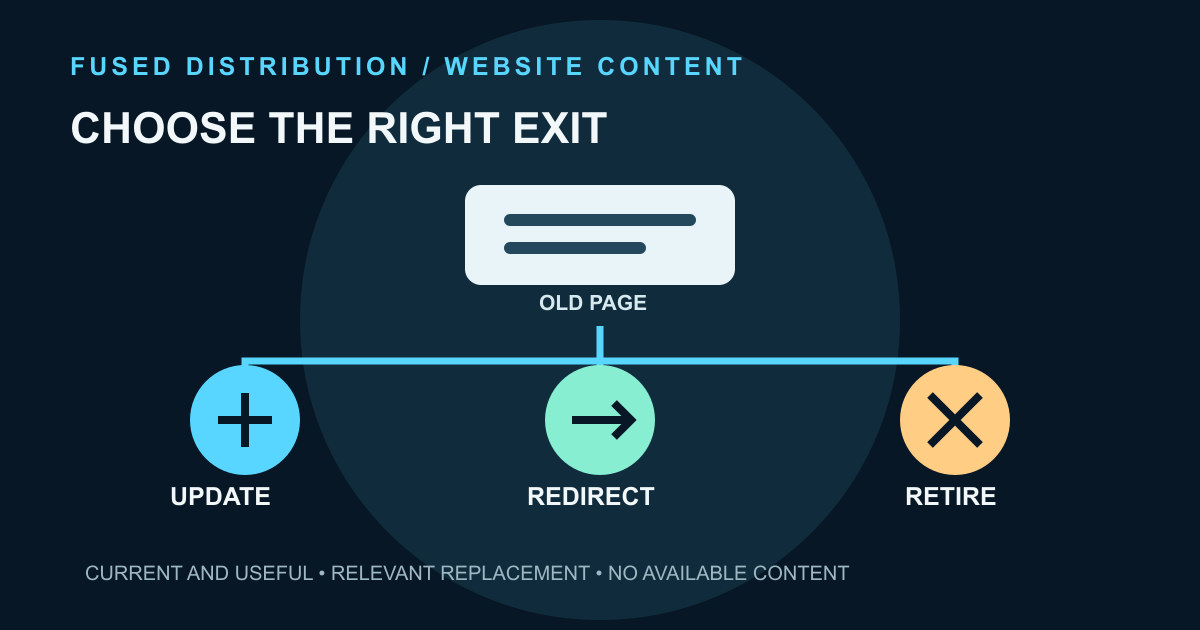
Still useful and currentable → Verify and update
Moved or has replacement → Map and redirect
No longer available → Retire with clear status
Old website content can confuse people when its information is no longer current. Before you remove a page, decide whether to update it, point it to a relevant replacement or retire it with a clear unavailable response. Make the choice for the reader’s task, then check the links and search signals affected by the change.
Google Search Central guidance explains how redirects, removals and status responses affect Google Search. It does not decide which of your pages should remain useful to your customers. The review below is a practical content maintenance method; apply your own records, legal retention rules and service requirements where they matter.
Review outdated website pages
Start with pages that describe a discontinued service, old process, changed price or outdated instructions. Ask the people who use or maintain that content what a visitor is trying to do. Look at support questions and internal links as clues, but check the page itself and its source before deciding it is stale.
Keep a short inventory with the page URL, content owner, last verified date, current purpose and proposed action. A date alone does not prove a page is wrong. Some reference material stays useful for years, while a recent page can become inaccurate after a policy change.
Choose an outcome for outdated content
Update the page when the information is still useful and you can verify the current version. If the page moved or has a close replacement, map the old URL to that destination and use a permanent redirect when the move is permanent. Do not send unrelated pages to a generic destination just to avoid an error.
If the information is no longer available and there is no relevant replacement, retire the page with a proper not-found or gone response. Google Search Central describes these outcomes for removed content and distinguishes them from redirecting a moved page. A temporary search removal request is not a permanent replacement for changing the page or its server response.
Make an outdated page transition clear
For an update, show what changed if visitors may have relied on the old instructions. For a redirect, make sure the new page answers the same need and does not introduce an unexpected sales pitch. For a retired page, provide a useful explanation and links to genuinely related content while preserving the correct not-found status.
Our guide to planning a website around customer questions can help identify what a visitor was trying to accomplish. After a change, review the website before it goes live to catch broken navigation and incorrect destinations.
Check links when you retire website content
Update your own navigation, page links, campaign URLs and other references that point to the old address. Keep a mapping from the old URL to its replacement when you use a redirect. Check the destination, status response and canonical URL after deployment. Google recommends direct redirects to the final destination and a sitemap that reflects current URLs.
Record who checked the page, which source confirmed its status, the selected outcome and when to review it again. If the page concerns a contract, safety instruction or regulated requirement, involve the responsible owner before changing it. A clear retirement record makes future edits easier to explain and reverse when the content is still needed.
Schedule a review of retired website content
Set a date to check high-impact pages again and assign a person who can confirm the information. Revisit the decision when a service, policy, process or URL changes. Keep old-to-new mappings with the website records so a future owner can trace why a redirect exists. This follow-up schedule is original operational guidance, not a Google requirement.
Sources
- Google Search Central: Troubleshoot crawling errors: guidance on removed pages, redirects to replacements and true not-found responses.
- Google Search Central: Redirects and Google Search: permanent and temporary redirect context.
- GOV.UK: Retire outdated content: public-sector content review guidance, used here as a process example rather than a rule for private businesses.
Related
Would you update an outdated page, redirect it to a replacement or retire it?
Read next: Review website changes before they go live.