You’re spending your days building your business, juggling clients, and trying to keep everything running smoothly. But are you spending too much time wrestling with scheduling? Do you wish there was a simple way to let customers book appointments with you directly, without endless phone calls and back-and-forth emails? You’re not alone. Many small business owners struggle with outdated scheduling methods. The good news is, there’s a solution: an online booking system. This guide will show you how to choose the right one, set it up quickly, and start getting more appointments - and more customers - through your door. Let’s cut through the complexity and get you a system that actually works for your business.

Why You Need an Online Booking System Now
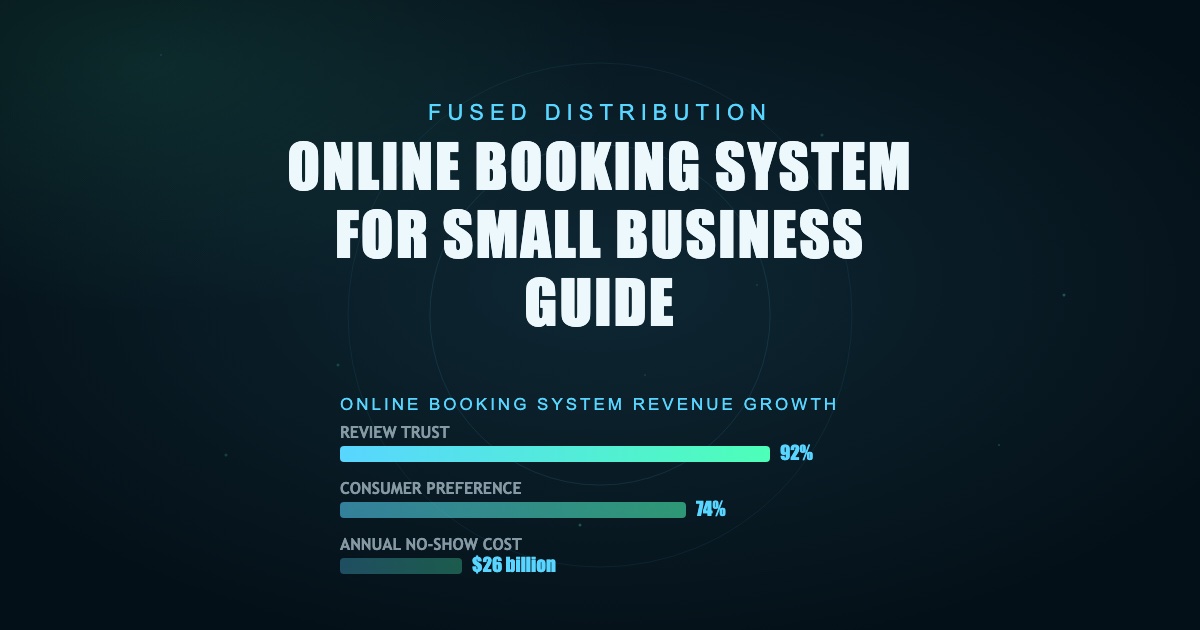
Let’s be honest, managing appointments manually is a huge time sink. You’re likely spending hours each week scheduling, confirming, and rescheduling. That’s time you could be using to focus on what you do best: serving your clients. Many businesses using online booking systems see an increase in appointment bookings. Also, a survey found that 74% of consumers prefer to book appointments online. And businesses that implement online booking systems experience an average of 15% higher revenue growth compared to those that don’t. These statistics clearly demonstrate the value of a streamlined booking process. It’s not just about convenience; it’s about efficiency, growth, and ultimately, profitability. You need a system that’s easy to set up and even easier to use - for you and your customers.
Choosing the Right Online Booking System for Your Business
Don’t get bogged down by complicated software. You don’t need a system that’s packed with features you’ll never use. Start with something simple that gets the job done. Too much setup time and money is a waste. Focus on a tool that handles the scheduling right. Look for a system that integrates smoothly with your Google Business Profile. This is crucial for local SEO - it’s how people find you when they search for your services in their area. A good system will automatically update your Google Business Profile with your availability, ensuring you’re visible when potential customers are searching. Don’t just pick a scheduler; pick one that actually helps you get found locally. We recommend looking for systems that offer features like automated reminders and confirmation emails. These can significantly reduce no-shows - an estimated 20% of appointments are missed due to no-shows, costing businesses an average of $26 billion annually.

Step-by-Step Guide Setting Up Your Online Booking System
Pick a system that isn't a headache. You don’t need the most complicated software. Start with something simple that gets the job done. Too much setup time and money is a waste. Focus on a tool that handles the scheduling right. Most online booking systems offer drag-and-drop interfaces, making setup incredibly easy. Many platforms allow you to connect your existing calendar (Google Calendar, Outlook, etc.) within minutes. Don’t spend hours trying to figure out complex configurations. Start with a free trial to test the waters. Once you’ve chosen a system, take the time to fully explore its features. Learn how to customize your booking pages, set pricing, and manage your availability. A well-configured system will save you time and frustration in the long run. Make sure your system works with local search. It needs to connect easily with your Google Business Profile. This helps people find you when they search for your service near you. Test the whole process before you launch. Check every step from when a customer clicks to when you get the confirmation. Find where things get stuck and fix it.
Integrating Booking with Your Existing Business Tools
You don’t need a complicated system. Start with something simple. Most software tries to do everything, and that just slows you down. Pick a tool that handles scheduling well. It should be easy for you to set up. You need something that plays nicely with Google Business Profile. This keeps you visible when people search for your service near you. Many booking systems integrate with popular CRM (Customer Relationship Management) tools, allowing you to track customer interactions and personalize your booking experience. For example, if you use HubSpot, you can integrate your booking system to automatically add new appointments to your CRM. This streamlines your workflow and provides valuable insights into your customer base. Don’t let a confusing booking flow lose a customer. Consider integrating with payment gateways like Stripe or PayPal to accept online payments securely. This makes booking even more convenient for your customers. For more on this, see Word Of Mouth Marketing Strategy Small Business.
Making Sure Your New Booking System Gets Found Locally
You don’t need some complicated software. You need something that just works for your schedule. Start simple. Don’t get bogged down trying to build a system that does everything. Pick a tool that handles scheduling right. This keeps your setup quick and saves you time you need for your actual business. Next, check if the system talks to Google. Make sure your booking platform connects easily with your Google Business Profile. This is how people find you when they search for your service near you. If it doesn’t play nice with Google, you're missing out on local searches. Optimize your booking page with relevant keywords to improve your search ranking. For example, if you’re a massage therapist in Austin, TX, include keywords like “massage Austin,” “massage therapy Austin,” and “deep tissue massage Austin” on your booking page. Test the whole process before you launch. Have a real customer try to book. See where they get stuck. Fix those bumps. Also, build in a way to ask for a review right after they finish their appointment. Reviews are what drive local traffic.
Handling Customer Reviews and Feedback
Don’t forget about reviews. Set up the system to ask customers for feedback after they finish your service. Reviews matter a lot for local search. A recent study showed that 92% of consumers trust online reviews as much as personal recommendations. Make it easy for customers to leave reviews by providing direct links to Google, Yelp, and Facebook. Consider sending automated follow-up emails requesting reviews. Responding to reviews - both positive and negative - shows that you value your customers’ feedback. This builds trust and strengthens your brand reputation. Keep the booking process clean and easy. Don’t try to build the perfect system. Just get a functional one that gets people to call.
Beyond the Basics: Advanced Features to Consider
While simplicity is key, don’t overlook advanced features that can further enhance your booking process. Appointment reminders via SMS or email can significantly reduce no-shows. Automated scheduling rules can prevent double-booking and ensure optimal resource allocation. Some systems offer staff scheduling tools, allowing you to manage multiple team members and their availability. And don’t forget about reporting and analytics - these tools provide valuable insights into your booking trends, helping you identify areas for improvement. However, start with the essentials and gradually add features as your business grows.