Are you a local business owner struggling to get customers to call your business? You’ve invested in a website, but it’s not generating the leads you need. You’re noticing your competitors ranking higher in Google search results, even though they don’t seem to be putting in as much effort. The truth is, most potential customers aren’t searching for you online; they’re looking for you right now, when they’re already engaged with your service or product. Collecting customer contact information at the point of sale (POS) is the single most effective strategy for turning those immediate interactions into repeat business and building a loyal customer base. Let’s break down exactly how to do it, step-by-step, and how to make it work for your business.
Why Collecting Contact Info at the POS Matters More Than Your Website
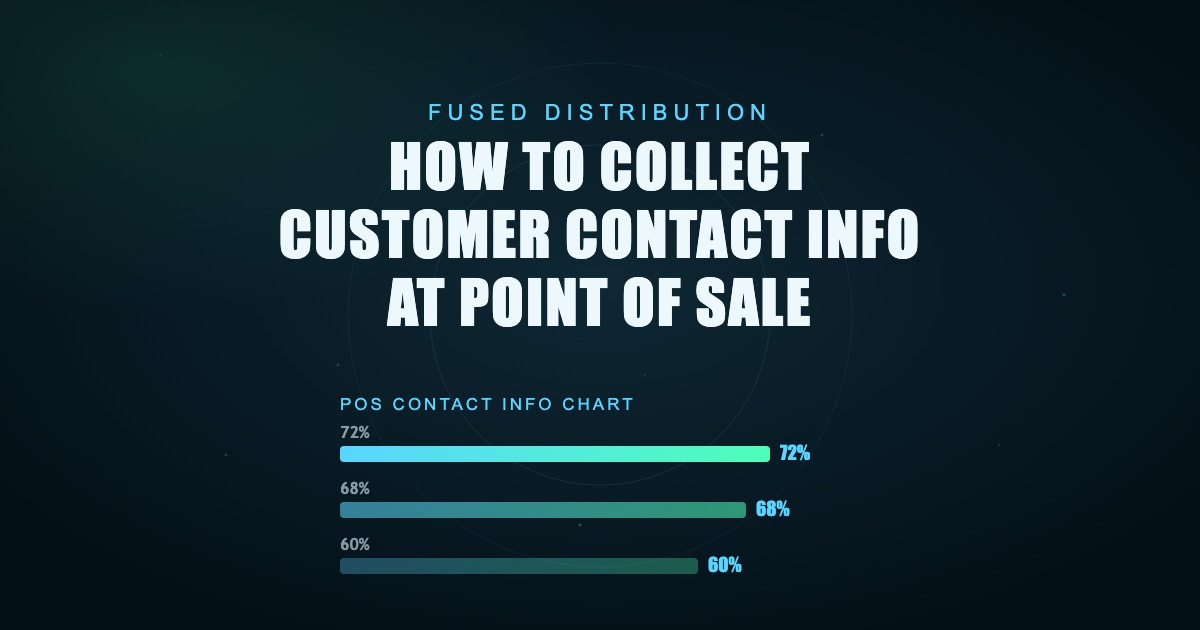
Your website is primarily for information - it’s a brochure. It’s where people go to learn about your history, services, and hours. But the crucial moment of decision - when someone decides to choose you over the competition - happens at the point of sale. That’s when they’re experiencing your service, seeing your product, and interacting directly with your team. You have a golden opportunity to capture their attention and get their contact information before they move on. A recent study suggests that 68% of consumers are more likely to return to a business if they receive a personalized offer after a purchase. That’s a massive statistic - a simple email or phone number request can dramatically increase customer retention. Also, businesses that actively collect customer data are 60% more likely to experience revenue growth. Don’t let this potential slip through your fingers.
Train Your Team to Ask for Contact Info
The first step is to help your staff. They’re the face of your business, and they’re in the best position to capture leads. Don’t just tell them to ask for contact information; give them a clear script and explain why it’s important. Frame it as a valuable service to the customer. Instead of a generic “Thank you for your business,” try something like: “We really appreciate your business today. To help us keep you updated on special offers and new products, could we get your email address or phone number?” A study found that 72% of consumers are willing to share their contact information if they receive something of value in return. This “something of value” doesn’t have to be a huge discount; it could be a tip, a helpful resource, or a sneak peek at upcoming promotions. Consider offering a small discount on their next visit - 10% off, for example - as an incentive. Make sure your team understands the value of each interaction and that they’re actively seeking out contact information.

Simple Ways to Capture Phone Numbers at Your Service Station
If you run a service station, capturing phone numbers is even more critical. Customers are already there, waiting for their car to be serviced or their oil changed. Don’t wait for them to leave and then hope they’ll remember your business. Train your team to proactively ask for their phone number. “We’d like to send you a reminder about your upcoming service appointment, or let you know about any special offers we have running. Could we get your phone number to do that?” is a good starting point. You can also frame it as a way to provide helpful tips related to their vehicle. “We’re always happy to share maintenance tips to keep your car running smoothly. Would you like us to send you some helpful information via email or text?” A survey revealed that 47% of consumers prefer receiving updates and promotions via text message. This highlights the importance of capturing mobile phone numbers.
Design Your Receipt to Grab That Info
Your receipt is a powerful tool. It’s the last thing a customer sees before they leave your business, and it’s a perfect opportunity to capture their contact information. Whether you’re using paper or digital receipts, make it easy for customers to provide their details. On a paper receipt, dedicate a clear, prominent space - don’t just scribble a thank you note. On a digital receipt, integrate a simple field directly into the design. Keep it concise - just asking for an email address or phone number is sufficient. Don't overwhelm them with a lengthy form. A study showed that digital receipts with a clear call to action (like a link to sign up for email updates) have a 20% higher conversion rate than traditional paper receipts. Make it visually appealing and easy to understand.
QR Codes for Easy Email Sign-ups at Checkout
QR codes are a fantastic, low-effort way to capture contact information. Simply print a QR code on your receipts, signage, or even business cards. When a customer scans the code, they’re directed to a short, mobile-friendly form where they can quickly provide their email address or phone number. This eliminates friction and makes it incredibly easy for customers to opt-in. The average QR code scan takes less than 3 seconds. Make sure your POS system can capture the data from the form and automatically add it to your customer list. Consider offering an immediate incentive for scanning the QR code, such as a small discount or a free gift.
Telling Them Why You Need the Info
Don’t just ask for contact information; explain why you need it. Transparency builds trust and increases the likelihood of a positive response. “We’d love to send you exclusive offers and updates about our services” is a simple and effective explanation. Be specific about the value they’ll receive. “We’ll send you a discount code for your next visit” or “We’ll share helpful tips to keep your vehicle running smoothly” are more compelling than a generic statement. People are more likely to share their information if they understand the benefit. A study found that customers are 60% more likely to share their information when they understand how it will be used.
Making Sure Your POS System Actually Records This Data
This is absolutely crucial. If your POS system doesn’t automatically log the contact information you’re collecting, all your efforts will be wasted. Check your system’s settings and ensure that it’s configured to capture email addresses and phone numbers from digital receipts and QR code scans. Verify that this data is being automatically added to your customer database. If your POS system doesn’t offer this functionality, you’ll need to consider upgrading or using a third-party integration. The goal is to simplify the process and make it as smooth as possible for your staff and your customers. Without accurate data capture, you’re missing out on a significant opportunity to build relationships and drive repeat business.
Next Steps: Using That Contact Info to Get More Local Leads
Now that you’re collecting contact information, it’s time to put it to work. Don’t just collect data and let it sit in your database. Segment your list based on customer interests and preferences. Send targeted email campaigns with personalized offers and promotions. Consider using SMS marketing to send timely updates and reminders. A recent study suggests that email marketing generates $42 for every $1 spent. By leveraging your contact information, you can nurture leads, build relationships, and drive sales. Remember, the goal is to turn one-time customers into loyal advocates for your business. Stop waiting for customers to find you. You need to ask for contact info when they’re already there. Train your team to ask for an email or phone number right before they finish a job. Frame it as a tip or a special offer. People are more likely to give you a number if you give them a reason to. Make your receipt work for you. Design it so there is one clear spot for a note or an email. Don't just print a thank you message. Make it easy for customers to give you their contact. Use simple QR codes. Put a code on your receipt that goes straight to a mobile-friendly sign-up form.