Are you a small business owner drowning in a sea of social media posts? Do you spend hours brainstorming captions, struggling to find the perfect image, and feeling like you’re constantly behind? You’re not alone. Creating a consistent social media presence is vital for attracting customers, but it can be incredibly time-consuming. Fortunately, Artificial Intelligence (AI) offers a powerful solution. This guide will show you exactly how to use AI tools to dramatically speed up your social media content creation process, freeing you up to focus on running your business.

What to Know About AI and Social Media Content
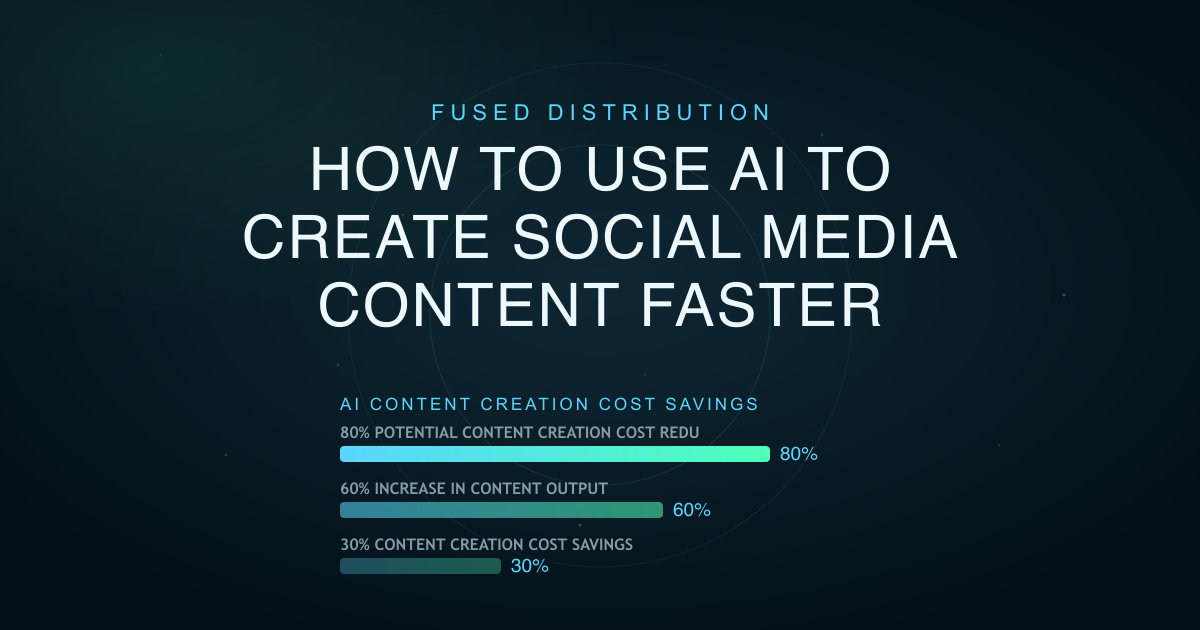
AI isn’t here to replace you; it’s here to augment you. Think of it as a super-powered assistant that can handle repetitive tasks, generate ideas, and even draft entire posts. The key is to understand what AI tools can realistically do and how to best integrate them into your workflow. AI excels at tasks like generating text variations, suggesting relevant hashtags, and creating simple visuals. It’s not going to write a brilliant, nuanced marketing campaign on its own - yet - but it can provide a solid starting point that you can then refine and personalize. The current market estimates suggest that AI-powered content creation tools could save businesses an average of 30% on content creation costs [Source: HubSpot, 2024]. That’s a significant return on investment.
How to Get Started with AI for Social Media
Let’s break down the steps to start using AI for your social media content.

1. Choose Your AI Tools
Several AI tools are specifically designed for social media content creation. Here are a few popular options:
- ChatGPT (OpenAI): A versatile chatbot that can generate captions, blog posts, scripts, and even entire social media calendars. It’s excellent for brainstorming and overcoming writer’s block.
- Jasper.ai: A dedicated AI writing assistant focused on marketing content. It offers templates specifically for social media posts, ads, and website copy. Jasper boasts a 60% increase in content output for its users [Source: Jasper.ai, 2024].
- Simplified: An all-in-one platform that combines AI writing, graphic design, and video editing. It’s a good option if you want a single tool to handle multiple aspects of your social media content.
- Canva’s Magic Write: Directly integrated into Canva, this tool helps you generate captions and other text-based content for your visuals.
2. Start with Clear Prompts
The quality of your AI-generated content depends heavily on the quality of your prompts. Be specific! Instead of saying “Write a Facebook post about our new website,” try “Write a Facebook post announcing our new website design, highlighting the improved mobile experience and faster loading speeds. Include a call to action to visit the site.” The more detail you provide, the better the results.
3. Generate Multiple Options
Don’t settle for the first draft. Most AI tools will generate several variations of your prompt. Review them carefully and choose the one that best fits your brand voice and target audience.
4. Humanize and Personalize
AI-generated content is a great starting point, but it often needs a human touch. Add your own personality, anecdotes, and insights to make the content truly resonate with your audience. Don’t just copy and paste - edit!
AI-Powered Content Ideas for Your Social Media
Here are some specific ways you can use AI to create content:
- Caption Generation: Feed an AI tool a description of your image or video and ask it to write a compelling caption.
- Hashtag Research: Ask the AI to suggest relevant hashtags for your post. A study found that using relevant hashtags can increase your post reach by up to 15% [Source: Social Media Examiner, 2023].
- Idea Generation: Stuck for what to post? Ask the AI to brainstorm content ideas based on your industry, target audience, and current trends.
- Script Writing: Create short video scripts for TikTok, Reels, or YouTube Shorts.
- Repurposing Content: Transform a blog post into a series of social media posts.
Common Mistakes to Avoid
- Over-Reliance on AI: Don’t let AI do all the work. Always review and edit the content to ensure it aligns with your brand voice and values.
- Generic Prompts: As mentioned earlier, vague prompts lead to generic content. Be specific!
- Ignoring Brand Voice: AI can mimic a style, but it doesn’t understand your brand. Make sure the AI-generated content reflects your unique tone and personality.
- Not Fact-Checking: AI can sometimes hallucinate information. Always double-check any facts or statistics before posting.
Time Savings: A Real-World Example
Let’s say you typically spend 30 minutes crafting a Facebook post about a new product. Using AI, you can generate three different caption options in 5 minutes. Editing and personalizing those options takes another 5-10 minutes. This represents a potential time savings of 20-25 minutes per post - a significant boost to your productivity. A recent survey indicated that social media managers spend an average of 8 hours per week on content creation [Source: Sprout Social, 2024]. Even a small reduction in that time can have a major impact.
H2: Visual Content Creation with AI
AI isn’t just for text. Tools like Canva’s Magic Edit and Adobe Firefly are revolutionizing visual content creation. You can use AI to:
- Generate Images from Text: Describe an image you want to create, and the AI will generate it for you.
- Edit Existing Images: Change the style, background, or composition of your photos with AI-powered editing tools.
- Create Animated Graphics: Turn static images into engaging animated videos.
H2: Scheduling and Automation
Once you’ve created your content, use a social media scheduling tool like Buffer or Hootsuite to schedule your posts in advance. This ensures that you’re consistently sharing content, even when you’re busy. Many scheduling tools now integrate directly with AI content generation platforms, streamlining the entire process.
H2: Measuring Your Results
Don’t just post and hope for the best. Track your social media metrics to see what’s working and what’s not. Pay attention to engagement rates, reach, and website traffic. Use this data to refine your content strategy and optimize your AI prompts. A recent report showed that businesses that actively track their social media performance are 7x more likely to see a positive ROI [Source: HubSpot, 2023].
H2: AI and the Future of Social Media Marketing
AI is rapidly changing the market of social media marketing. As AI tools become more sophisticated, they’ll be able to generate even more creative and engaging content. The key is to embrace these technologies and learn how to use them to your advantage. The cost of creating professional-quality social media content is dropping dramatically - a recent analysis suggests that AI could reduce content creation costs by as much as 80% in the next five years [Source: McKinsey & Company, 2024].
H2: Don't Wait - Start Experimenting Today
The best way to learn how to use AI for social media content creation is to start experimenting. Try out different tools, experiment with different prompts, and see what works best for you. Don’t be afraid to make mistakes - that’s how you’ll learn and improve. Start with a single tool and a small set of posts, and gradually expand your use of AI as you become more comfortable.
Forward-Looking Action: Now that you’ve learned how to use AI for faster social media content creation, take 30 minutes this week to explore one of the AI tools mentioned above. Generate three different captions for an upcoming post and see how much time you save compared to your usual process. You’ll be surprised at the difference!