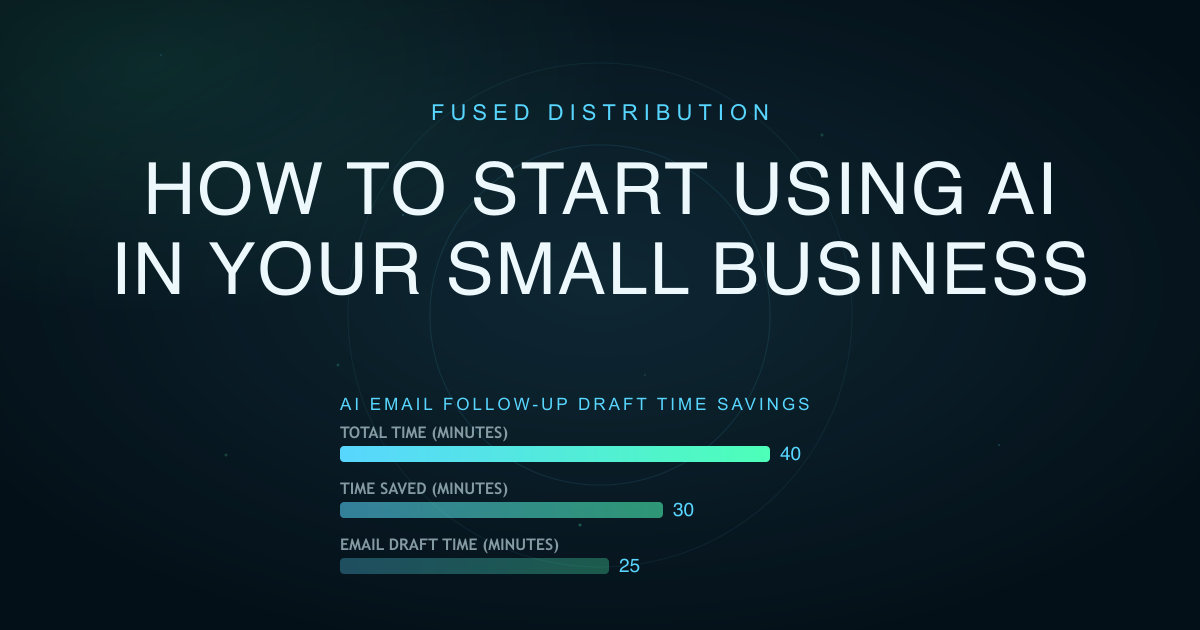
Start using AI in your small business by choosing one repeated, low-risk task and building a clear review process around it. Do not begin by buying several subscriptions or asking a chatbot to run an entire department. Pick work with known inputs and an obvious finished result, such as summarizing meeting notes, drafting a follow-up email, or organizing customer questions.

Your first AI project should save time without putting customer trust, private data, or revenue at risk. Give one person ownership, document the source facts, test the output internally, and measure the full time from prompt to approved result. If the test works for several weeks, add the next related task.
Start With One Small Business Problem to Solve
List the work your team repeats each day or week. Include administrative work, marketing, sales follow-up, customer service preparation, and internal reporting. Mark tasks that take time but follow a consistent pattern.

Good first projects include turning call notes into a task list, drafting a reply from an approved policy, creating an outline from a service description, or sorting anonymous feedback into themes. These jobs have source material that a person can verify.
Avoid high-risk decisions as your first test. Do not let an AI tool approve refunds, set prices, make hiring decisions, provide regulated advice, or send unsupervised messages. Begin where a wrong draft can be caught before it reaches a customer.
Write a one-sentence target. For example: “Reduce the time required to draft a post-visit follow-up email while keeping every service detail accurate.” That target is easier to test than “use AI to improve the business.”
Map the Process Before You Start Using AI
Record how the task works today. Note the trigger, source information, steps, owner, approval, delivery channel, and average time. Save one or two strong examples of completed work.
This map shows exactly where AI may help. It may create a first draft, extract fields, organize ideas, or compare a result with a checklist. It should not silently replace the parts that require judgment or authorization.
For a quote follow-up, the trigger might be a completed estimate. The inputs are the customer name, approved scope, price, expiration date, and booking link. AI can draft the message, but a staff member must confirm those details before sending it.
Select One Tool When Starting With AI
Choose a tool your team can access, understand, and control. For a writing task, a general chat assistant may be enough. For meeting notes, use a transcription or summary feature that meets your privacy needs. For design variations, start with the assistant inside the design software you already use.
Compare tools on the task, not on feature lists. Check output quality, editing time, privacy settings, account controls, export options, cost, and whether your team will actually use it. Run the same prompt and source material through each candidate.
One useful tool is better than several overlapping subscriptions. Keep the first test small enough that you can cancel it without disrupting customer work.
Prepare Safe Source Material for Using AI
AI output improves when the source information is clear. Create a short reference document with the facts needed for the task. A marketing reference might include your audience, services, service area, tone, proof, current offer, approved call to action, and words you do not use.
Remove information the tool does not need. Do not paste payment data, passwords, private employee records, medical details, or confidential customer notes into a public AI service. Check the tool’s data settings and your agreements before using business information.
Use placeholders during testing. Replace a real customer name with “Customer A” and an address with “service address.” Add the real details only inside your approved business system after review.
Write a Prompt That Defines the Job
A useful prompt gives the AI a role, source facts, output format, restrictions, and success criteria. Keep instructions direct. Attach or paste only the information needed for that result.
Use this structure:
- Task: State the exact result you need.
- Audience: Describe who will read or use it.
- Source: Provide the facts the answer may use.
- Format: Set the length, sections, and channel.
- Restrictions: Ban invented facts, promises, or sensitive material.
- Review: Ask the tool to identify missing information instead of guessing.
For example: “Draft a 120-word appointment follow-up email for a homeowner. Use only the supplied job notes and approved booking link. Keep the tone helpful. Do not invent pricing, availability, or guarantees. If a required fact is missing, list it after the draft.”
Save the approved prompt with a version date so staff members do not create a different process every time. For more on this, see Bing Places For Business Setup Guide.
Start Testing AI With Realistic Internal Examples
Run at least five examples that reflect normal work and edge cases. Include a complete input, missing information, conflicting notes, an unusual customer request, and a case that should be rejected.
Review each result against the same checklist. Check factual accuracy, tone, privacy, format, action, and the amount of editing required. Record failure patterns. If the tool repeatedly invents a price, change the prompt and source format before another test.
Do not publish the first impressive response. A reliable process must work across different inputs and must fail visibly when it lacks information.
Add a Human Approval Step
Assign one role to approve the output before it reaches a customer or public channel. The reviewer should know the underlying task and have authority to correct it. “Someone will check it” is not an approval process.
Use a short checklist that fits the job. A public marketing item might require correct claims, current offer details, working links, brand tone, image accuracy, and a clear next step. A customer reply might require identity, account, policy, date, and promised action checks.
Keep a record of who approved sensitive or high-value messages. If the AI output is wrong, the business still owns the result. Human approval protects the customer and makes responsibility clear.
Measure Time Saved and Business Value
Measure the current process before the test. Then track research time, prompt time, generation time, editing time, approval time, and corrections after use. Generation speed alone does not prove value.
Choose one business result related to the task. A follow-up email test might track qualified replies or booked appointments. A content test might track useful inquiries or form submissions. An internal summary test might track whether action items are completed on time.
Review results after two to four weeks. Keep the process if quality stays high and total time falls. Change it if reviewers are doing too much repair. Stop it if errors, privacy concerns, or staff confusion outweigh the benefit.
Train Your Team Before Using AI at Scale
Write a one-page operating guide. Include the approved tool, login method, permitted source data, saved prompt, review checklist, owner, and escalation path. Show one good input and output plus one example that must be rejected.
Train staff to verify rather than admire the response. AI can produce confident text that is incomplete or wrong. Employees should know how to find the source fact, ask for missing information, and stop the workflow.
Set boundaries for customer communication, public claims, financial decisions, and confidential information. Review access when an employee changes roles or leaves the company.
Expand AI Use One Connected Task at a Time
After the first workflow performs reliably, add a closely related task. An approved follow-up email can become the source for a short text message. A verified FAQ can become a website answer and a social post. Reusing approved facts reduces risk.
Do not connect tools automatically until the manual review process is stable. An automatic workflow can spread one wrong field across email, social, and customer records faster than a person can catch it.
Review every AI workflow each quarter. Confirm the owner, tool settings, cost, prompts, source documents, and results. Remove processes nobody uses and subscriptions that duplicate another tool.
Starting small gives your business a useful advantage: you learn where AI actually saves time without giving up control. Pick one job this week, document it, test it with safe data, and make the approval step part of the process from day one.