Online booking reduces no-shows when it does four things well: records the appointment accurately, sends timely reminders, makes cancellation or rescheduling easy, and applies a clear deposit or cancellation policy when the business needs one. The booking page alone is not the solution. Start with a reliable online booking system for a small business, then configure the follow-through that protects the schedule.
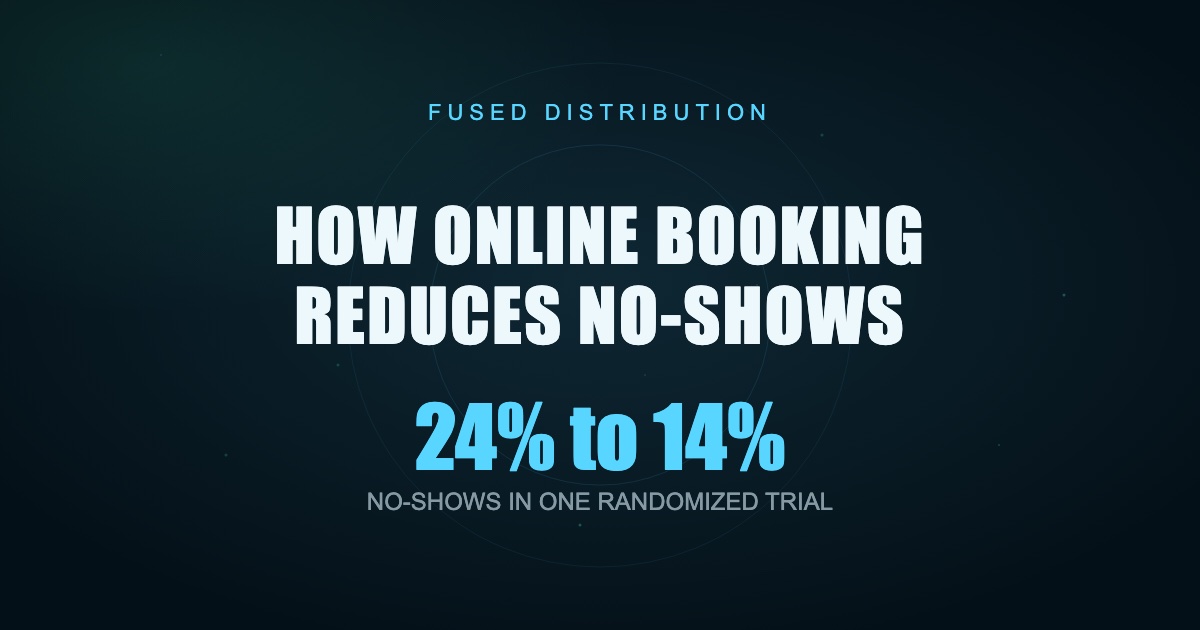
Research on appointment attendance consistently supports reminders, but the effect varies by audience and message. One randomized primary-care study reduced no-shows from 24 percent to 14 percent with reminder letters or calls. A physical-therapy trial reported 16 percent without an SMS reminder and 11 percent with one. Another trial found that changing the wording of an existing SMS reduced missed appointments from 11.1 percent to 8.4 percent.
Accurate Booking Removes Preventable Confusion
Phone and message-based scheduling creates opportunities for mistakes. A customer may hear the wrong time, staff may write the wrong date, or two people may offer the same slot. An online system writes the selected service, time, location, and contact details into one record and sends the customer a copy.
That immediate confirmation matters. It gives the customer something searchable in email and, when accepted, places the event on a personal calendar. The business and customer begin with the same information instead of relying on memory.
Immediate Confirmation Creates Commitment
A customer who receives a clear confirmation knows the booking succeeded. The message should include the service, date, local time zone, address or meeting link, preparation instructions, price when relevant, and the cancellation policy.
Avoid a generic "you are booked" message. Ambiguity causes support calls and makes the appointment feel tentative. A complete confirmation turns the selection into a specific commitment and gives the customer a simple way to correct an error early.
Automated Reminders Recover Forgotten Appointments
People forget even when they intended to attend. Automated reminders remove the need for staff to remember every follow-up. The strongest schedule depends on the service, but a common starting pattern is one reminder 48 hours before the appointment and another short reminder on the day.
Give enough notice for the customer to act. A reminder sent ten minutes before an appointment may refresh memory but does not create time to reschedule or fill the opening. A 48-hour message can prompt an early cancellation, which is far more useful than an unexplained empty chair.
Reminder performance is not universal. One randomized study found phone calls outperformed SMS for its patient group. Treat delivery method as a testable choice. Use the channel your customers reliably read and offer an alternative for people who do not text.
Easy Rescheduling Turns No-Shows Into Open Slots
Some customers miss appointments because canceling feels harder than disappearing. Put a reschedule and cancellation link in the confirmation and reminders. State the deadline plainly and show what happens after it.
This does not mean accepting unlimited last-minute changes. It means giving customers a controlled route to release the slot. The system can enforce the policy while reducing calls and awkward back-and-forth messages.
Track advance cancellations separately from no-shows. A higher cancellation rate can be a positive result if customers are releasing appointments early enough for the business to refill them.
Deposits Protect High-Cost Time
A deposit can increase commitment when an appointment requires substantial preparation, specialized equipment, or a long block of staff time. It also offsets part of the loss when a customer ignores the policy.
Use deposits selectively. Requiring payment for a short introductory call may reduce legitimate bookings more than it reduces no-shows. A multi-hour service, custom order, or reserved team may justify a stronger commitment.
Disclose the amount, refund rule, reschedule window, and any exception process before payment. The policy should be visible on the booking page and repeated in the confirmation.
Shorter Booking Windows Reduce Uncertainty
The farther away an appointment is, the more opportunities a customer's plans have to change. Do not open the calendar six months ahead when most customers only need the next few weeks. Choose a booking horizon that matches the service and your staffing confidence.
Also prevent same-day bookings when the team cannot prepare reliably. A minimum lead time protects operations. The goal is a window long enough for customers to plan but short enough that availability remains credible.
Review lead time alongside no-show data. If appointments booked 45 days ahead miss more often than those booked within 14 days, shorten the public window or add an extra confirmation step for distant bookings.
The Reminder Message Should Invite Action
A useful reminder is short and specific. Include the business name, appointment time, service, location, and one clear action. For example: "You are booked with Northside Repair on Tuesday at 2:00 PM. Reply C to confirm or use this link to reschedule."
Do not bury the action under promotional copy. Avoid shortened links that look suspicious. Identify the business so the customer understands why the message arrived, and follow applicable consent and messaging rules.
Test wording instead of assuming every reminder is equal. Research in hospital settings found that message framing changed attendance and advance cancellation behavior. Small wording changes can affect whether a customer notices the consequence and responds.
Measure the Full Appointment Funnel
Start with four numbers: appointments booked, advance cancellations, late cancellations, and no-shows. Divide no-shows by appointments that remained scheduled at the appointment time. Track by service, staff member, lead time, booking source, and reminder method when volume allows.
Do not judge the system from one week with ten appointments. Compare a reasonable baseline with several weeks after implementation. Watch booking completion too. An aggressive deposit policy may reduce no-shows while also reducing total bookings.
The business outcome is completed, profitable appointments, not the lowest no-show percentage at any cost.
A Practical Setup for a Local Business
Begin with one service. Define duration, buffer time, staff availability, lead time, booking horizon, customer fields, cancellation deadline, and deposit rule. Compare the appointment booking tools suited to small businesses before committing. Connect the correct calendar and block personal or unavailable time.
Then complete the entire process as a customer. Book on a phone, confirm the calendar entry, receive each reminder, reschedule, cancel, and process a test payment or refund. Ask a staff member to view the booking from the operational side.
Launch the link on your website and Google Business Profile when eligible. Review the first ten appointments manually. Fix confusing language before expanding to more services or staff calendars.
Sources
- Randomized reminder trial, PubMed
- SMS reminders in physical therapy, randomized trial
- SMS message framing and missed appointments, PubMed
- Reminder method randomized trial, PubMed
Related
- Best Appointment Booking Tools for Small Business
- Online Booking System for Small Business
- How to Follow Up With Customers After a Sale
Read next: Best Appointment Booking Tools for Small Business