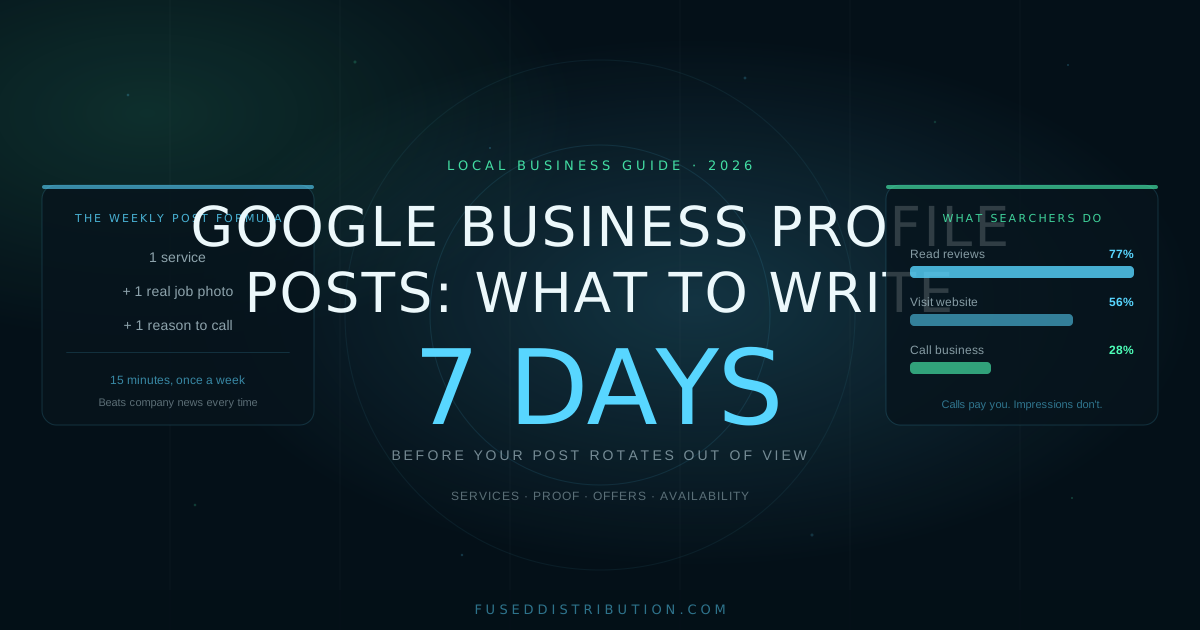
Stuck on Google Business Profile posts and what to write in them? Write about one service, with one photo, and one reason to call this week. That formula beats company news, mission statements, and holiday greetings every time. Posts are free, they sit right where local customers compare you against competitors, and Google rotates them out of prominent display after 7 days. The businesses that win the comparison are the ones with something fresh and specific on the profile.
Posting is one piece of a bigger system. If your profile basics need work first, start with our Google Business Profile optimization guide, then come back here for the posting plan.
The Three Post Types and When to Use Each
Google gives you three post formats. Each does a different job.
- Updates. Your default. One service, one photo, one call to action. These rotate out of prominent view after 7 days, so post one every week.
- Offers. A deal with a start and end date. Offer posts stay visible through the end date and get a special badge. Use them monthly.
- Events. Anything with a date and time: open house, seasonal booking window, workshop. Also visible until the event passes.
Most businesses only ever use updates. The offer format is the underused one: it survives longer than 7 days, it stands out visually, and a date deadline gives people a reason to act now instead of later.
What to Write: Services, Not Sales Pitches
Skip your company history and your mission. People searching for a plumber at 7 AM with water in the basement care about one thing: do you fix this, here, today.
Write each post about one specific service and the immediate benefit. "We fix burst pipes in [your city], same day" beats "We are a trusted full-service plumbing company" every time. One service per post. Emergency drain cleaning this week, water heater replacement next week, commercial maintenance the week after.
This does two jobs at once. The searcher sees exactly the problem you solve. And Google reads your posts as more evidence of what your business does, which helps you match more specific searches.

Use Posts to Show Proof
People buy from businesses they trust, and your profile is where they look for proof before calling. Posts are the fastest way to supply it.
Post photos of your team on a real job site. Post a finished project with one line about what the customer needed. Post the tricky repair you handled this week and how. Real work photos do double duty here: Google reports profiles with photos get 42 percent more direction requests and 35 percent more website clicks than profiles without them.
A specific outcome beats a generic claim. "Replaced this 15-year-old water heater in Maple Grove before noon" proves more than "fast, reliable service" ever will.
Post Offers and Availability
Use the offer format for anything with a deadline: a seasonal tune-up rate, a discount for new residential customers, a booking window before your busy season. Make it specific and time-bound. "$50 off AC tune-ups booked by June 30" gives a number and a deadline. "Great deals on HVAC service" gives nothing.
Availability posts work the same way. Booked solid for two weeks? Post it. It proves demand and sets expectations. Have three slots open Friday? Post that too, with a phone number. Plain availability posts get calls because they remove the biggest unknown: can this business actually fit me in.
Impressions Don't Pay You. Calls Do.
It is easy to watch views and impressions climb and feel like posting works. Those numbers tell you how many people saw the profile, not how many became customers. Judge your posts by calls, direction requests, and booking clicks. Here is what people actually do on a profile once they find it:
Reviews dominate, which is why posts showing real work matter: they back up what your reviews claim. And every post needs a clear path to the phone. "Call to schedule your estimate" with the number beats any clever caption. We cover reading these numbers properly in our GBP Insights guide.
A Simple 4-Week Posting Plan
One post a week. Fifteen minutes each. Rotate through this cycle:
- Week 1: Service spotlight. One service, one job photo, one line on the benefit, phone number.
- Week 2: Proof post. A finished job or before-and-after with one sentence about what the customer needed.
- Week 3: Offer. Use the offer format with a real deadline. Even $25 off with a date outperforms a generic update.
- Week 4: Availability or seasonal. What you have open, or what customers should book before the season hits.
Write the month's four posts in one sitting and schedule them. Reuse the cycle with different services and jobs. After three months you have a profile that looks alive, specific, and busy, which is exactly what both Google and your next customer want to see.

Frequently Asked Questions
Sources
- Google, "Post on Google from your Business Profile," Business Profile Help, retrieved 2026-06-11, support.google.com
- Google, "Add photos and videos to your Business Profile," retrieved 2026-06-11, support.google.com
- BrightLocal, "Local Consumer Review Survey 2024," retrieved 2026-06-11, brightlocal.com
- Whitespark, "Local Search Ranking Factors Survey 2024," retrieved 2026-06-11, whitespark.ca