Most small business websites have a home page, a phone number in the footer, and not much else. Visitors land on them, can't find what they need, and leave. The problem is not that you have a website. The problem is what's on it.
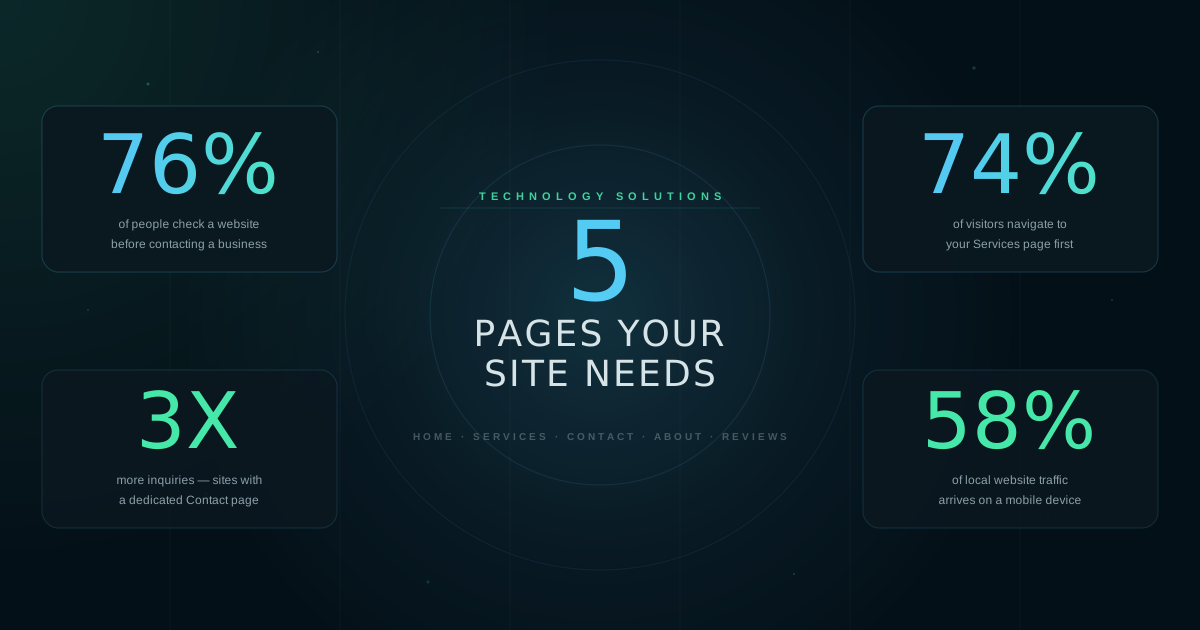
76% of people check a business website before they ever call or visit. If the pages they look for are missing, they move on. Here are the five pages that matter and what to put on each one.
Sources: BrightLocal Local Consumer Review Survey; Nifty Marketing Local Search Study; Statcounter Global Stats
The Home Page
Your home page has one job: answer three questions in the first few seconds. What do you do? Where do you do it? How do I reach you?
Put your service category and city in the first line of text on the page. Put your phone number in the top-right corner where people expect it. Add two or three short credibility signals, such as years in business, number of customers served, or a Google review count. Skip the paragraph about your company mission.
If a visitor has to scroll to find out what you do or where you're located, you will lose them. The home page should answer those questions before they start looking.

The Services Page
This is the most visited content page on any local business site. 74% of visitors navigate to it. They want to know exactly what you offer and, ideally, what it costs.
List each service with a short description. Two or three sentences per service is enough. If you have pricing, show at least a range. People who see pricing information before calling are better qualified leads. They know what to expect, and they've already made a partial decision before picking up the phone.
If your pricing varies too much to list, write a starting price or a typical range. "Starting at $150" gives people an anchor without locking you in.
The Contact Page
Sites with a dedicated Contact page get three times more inquiries than those that only have a number in the footer. The difference is friction. When someone has to hunt for how to reach you, most of them won't bother.
Your Contact page should have your phone number large and clickable, your address with a Google Maps embed, your business hours, and a short contact form. Keep the form to four fields or fewer: name, phone or email, what they need, and a submit button. Each additional field you add loses you a percentage of submissions.
If you only do one thing after reading this, add a standalone Contact page with all four elements above. It is the single highest-impact fix on most local sites.
The About Page
Local business is personal. People hire someone they feel like they know, or at least trust. The About page is where that trust starts to form before the first call.
You do not need a long page. A paragraph about when you started and what you focus on, a sentence or two about why local customers choose you, and one real photo of you or your team. That is enough. Stock photos of generic office workers work against you here. A real photo, even a phone photo, does more.
150 to 250 words is the right length. Short enough that people read the whole thing. Long enough to say something real.

Reviews and Testimonials
87% of people read reviews before visiting a local business. If your website does not show any reviews, you are making them go elsewhere to find them. That is a step in the wrong direction.
You do not need a dedicated reviews page. A section on your home page works fine. Pull three to five real quotes from your best Google reviews. Include the reviewer's first name. A rotating carousel of quotes is harder to read than three solid testimonials displayed in a grid. Static is better here.
If you do have a review page, link to it from your home page so people find it. And keep adding to it. Three reviews from four years ago is worse than three reviews from last month.
What Most Sites Get Wrong
The most common problem on local business websites is not bad design. It is missing information. Visitors land, can't find the service they need, can't find the phone number, and leave. Usually to a competitor who has those basics covered.
The second most common problem is mobile. 58% of local searches happen on phones. If your site is hard to read or navigate on a phone, most of the people who find you will leave before they contact you. This means large text, clickable phone numbers, and forms that actually work on a small screen.
You do not need a complicated website. You need these five pages, built for the person on their phone who found you on Google and is trying to decide in the next 30 seconds whether to call you or someone else.
Sources
- BrightLocal, Local Consumer Review Survey, consumer habits before visiting a local business.
- Nifty Marketing, Local Search Study, page navigation patterns across 3,600 local business websites.
- Statcounter, Global Stats, mobile vs. desktop share of web traffic.
- HubSpot, State of Marketing Report, contact form conversion rate by field count.