Are you struggling to get local customers to see your business? Instagram is a powerful tool for local businesses. It lets you connect directly with people in your community. This guide shows you exactly how to use Instagram to build awareness, drive visits, and turn followers into loyal, paying customers right here in your area. We will cover everything from setting up your profile to creating content that stops people from scrolling.

Understanding Your Local Instagram Audience
Before you post anything, you must know who you are talking to. Your local Instagram audience is not just a random group of users. They are people who live near you or are actively looking for services in your neighborhood. Understanding their interests, what they consume, and where they spend their time is the first step to effective marketing.
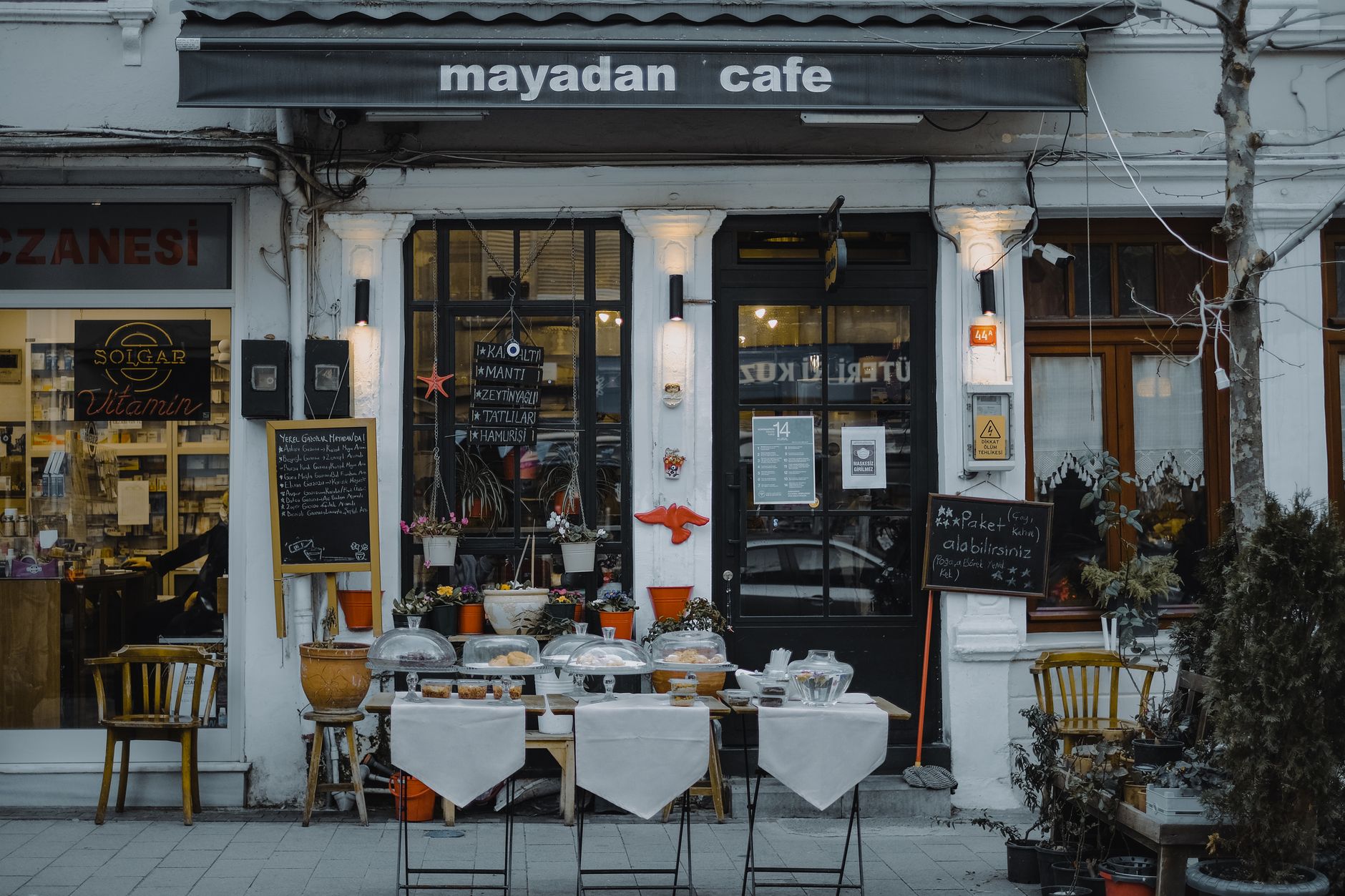
Think about your ideal local customer. What problems do they have that your business solves? What kind of content do they already engage with? Are they looking for quick tips, local recommendations, or inspiration? Knowing this helps you tailor your message precisely. You need to speak their language. If you serve coffee, your audience cares about the morning rush or the best local pastry. If you offer plumbing, they care about reliability and quick fixes.
We know that a significant number of Instagram users follow at least one business account. This means there is an existing pool of potential customers already looking for local solutions. You need to find them and show them you are the answer.
Optimizing Your Instagram Profile for Local SEO
Your Instagram profile acts like your digital storefront. It needs to be clear, professional, and optimized so that when someone searches for your service locally, you appear. This is your local SEO on the platform.
Your username should be easy to remember and clearly state what you do. Avoid complicated jargon. Your bio is prime real estate. Use it to clearly state your service area and what makes you unique. Include keywords people in your area might search for. For example, instead of just saying "We do great baking," try "Custom Cakes in {Your City Name} | Handmade with Local Ingredients."
Use the link in your bio strategically. Direct people to your website where they can see your full menu or book a service. Make sure your profile picture is a clear, recognizable logo. Consistency in your profile makes you look established and trustworthy to potential customers.
Content Pillars for Local Engagement
What should you post about? You need a consistent content strategy. Content pillars give you themes to focus on. For a local business, these pillars should focus on value, community, and showcasing your work.
One pillar is behind the scenes. Show the people who work for you. This builds trust. Post about your team, your process, or how you source your materials. This humanizes your brand. Another pillar is local relevance. Post about events happening in your city. Tag local landmarks or partner with other local businesses. This shows you are part of the community.
A third pillar is product or service demonstration. This is where you show off what you offer. Take high-quality photos and short videos demonstrating how your product works or how your service improves someone's life. Show, do not just tell.
Visual Storytelling: Showcasing Your Local Experience
Instagram is a visual platform. Your photos and videos must be high quality. You need to capture the feeling of your local experience. This is about selling an experience, not just a product.
Take photos that highlight your physical location. Show the atmosphere of your shop, the view from your office, or the friendly faces of your staff interacting with customers. These images create an emotional connection. People buy from brands they feel they understand.
Create short video clips that walk a potential customer through your space. A quick tour of your kitchen, a demonstration of a service, or a snapshot of a successful local event works wonders. These visuals tell a story that text alone cannot convey.
Leveraging Instagram Stories for Real-Time Updates
Stories are perfect for showing authenticity and immediacy. They are where you can connect with your audience on a daily basis. Use Stories for quick, informal updates.
Run polls asking your audience what they want next. This makes them feel involved. Share quick updates on daily specials or new inventory. Use the question sticker to ask for local recommendations. This engages your community directly.
Stories are excellent for building anticipation. Tease upcoming events or new products before they launch publicly. This creates excitement and drives traffic to your main feed. People follow stories because they want to be part of the ongoing conversation.
The Power of Location Tagging and Hashtags
Location tagging is crucial for local discovery. Every post you make should be tagged with your physical location. This tells the Instagram algorithm exactly where your business is. It helps people searching for things "near me" find you.
Use relevant local hashtags strategically. Do not just use huge, generic tags. Use a mix of broad tags, medium-specific tags, and very niche, hyper-local tags. For instance, if you are a bakery in Austin, use tags like #AustinFoodie, #ATXSmallBusiness, and #SouthAustinEats. This helps you reach people actively searching for things in your immediate vicinity.
Utilizing Instagram Reels for Local Discovery
Reels are the current engine for discovery on Instagram. Short-form videos have the highest chance to be seen by new audiences. For local businesses, Reels are fantastic for showing quick tips, behind-the-scenes action, or local challenges.
Create Reels that solve a small, immediate local problem. If you are a landscaper, show a quick fix for a common local garden issue. If you are a restaurant, show a quick, delicious plating technique. Reels get you seen by people who do not follow you yet. This is how you tap into the audience pool local businesses can tap.
Engaging with Local Communities and Competitors
Marketing is a two-way street. You must engage with others in your local sphere. This means interacting with other local businesses. Find businesses that serve a similar audience but are not direct competitors. Like their posts, comment thoughtfully on their content. This puts your name in front of their audience.
Respond to every comment and direct message quickly. Show that you are present and care about your neighbors. Building these local relationships is the foundation of long-term customer loyalty.
Turning Followers into Loyal Local Customers
Getting likes is vanity. Getting paying customers is your goal. You need to move followers toward becoming buyers. Create special offers exclusively for Instagram followers. Use Instagram Shopping features when available to make the purchase process as easy as possible.
Run contests that require tagging local friends to enter. This expands your reach into new local networks. Make the path to purchase obvious. Ensure that when someone sees your content, they know exactly how to buy from you.
Measuring ROI: Tracking Local Instagram Success Metrics
You must track what works. Do not guess. Look at the data Instagram insights. Track how many people see your content. How many people click the link to your site. More importantly, track how many local inquiries you receive directly from Instagram.
If you see a spike in local inquiries after a specific Reel or Story, that content is working. Use this data to plan your next batch of posts. Focus your energy on the content that drives real local action.
Start implementing these steps today. Your local business deserves to be seen by the people who can actually support you.
Related
- How To Respond To Negative Google Reviews
- How To Ask Customers For Google Reviews
- How To Get More Google Reviews For Your Business
Read next: How To Respond To Negative Google Reviews