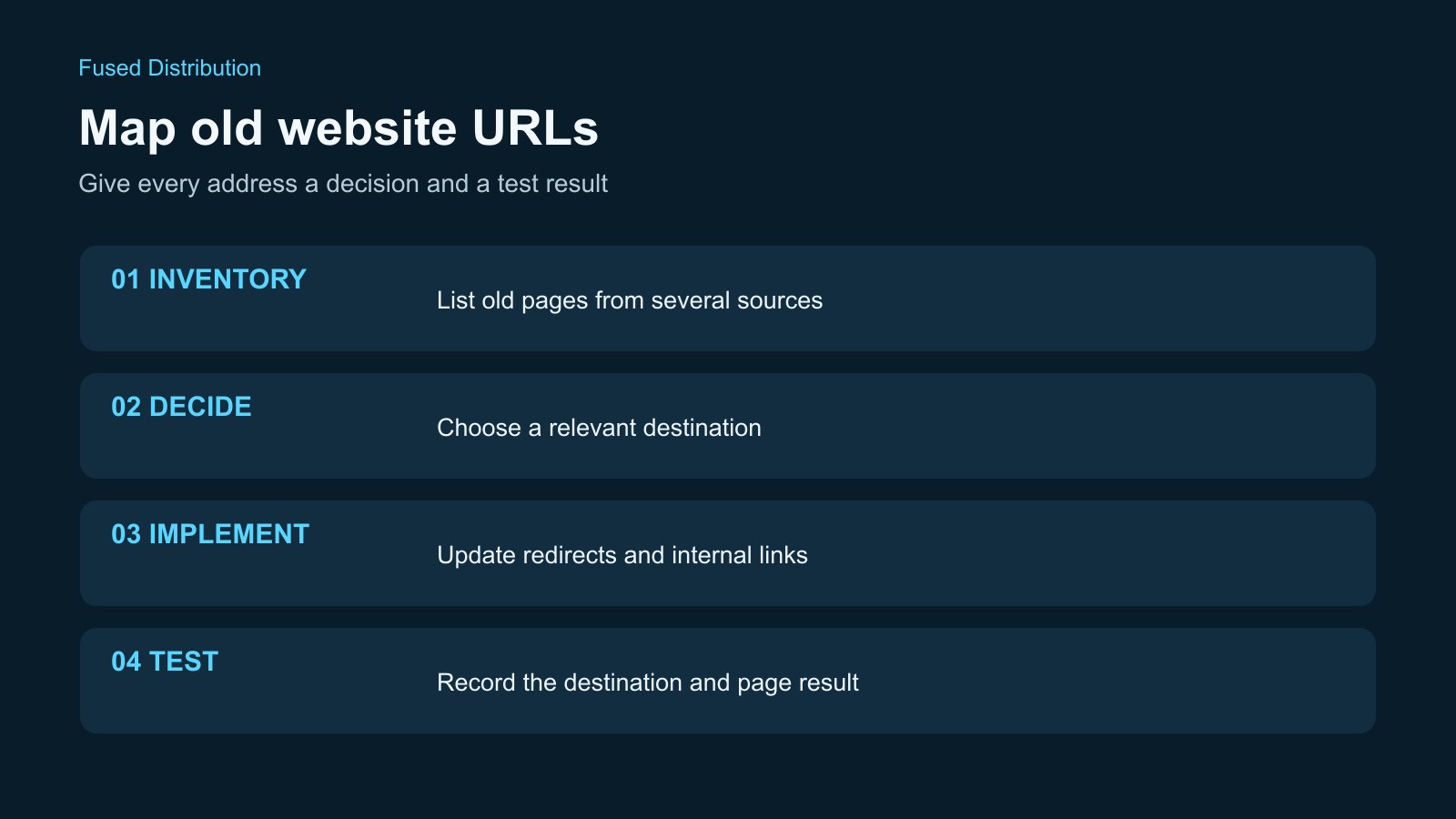
Before you redesign a business website, make a list of its existing page addresses and give each one an explicit destination. This URL map connects the pages people already use with the pages you plan to launch. It helps your developer preserve useful routes, identify content that still needs a home, and test the change before customers encounter a dead end. A new design does not automatically preserve old links, and a redirect does not guarantee that search traffic will stay the same.
Collect the old website URLs from several places
Start with the current website, not the proposed navigation. Record the full address of each service page, location page, article, booking entry point, contact page, and downloadable file that your business intends to keep available. A menu is a useful starting point, but it is not a complete inventory. A page can receive visits through an old email or a search result without appearing in the main navigation.
Ask the person managing the site for an export of its published pages and its current sitemap. Compare that list with any available analytics and Search Console information. Those sources serve different purposes. The page export describes the content your system knows about. A sitemap lists addresses you have chosen to submit for discovery. Usage and search reports can help identify addresses that visitors actually reach. None of these sources should be treated as a complete replacement for the others.
Include addresses printed on signs, linked from business profiles, and used in appointment reminders. Check the booking provider and any separate ordering system before assuming that a link belongs to your website. Your developer may control the page that contains the link without controlling its destination. Record that distinction so an external service is not accidentally included in a redirect plan your hosting system cannot perform.
Keep the original inventory as a dated file. Work from a copy when assigning new destinations. This gives you a reference for launch testing and prevents an address from disappearing merely because someone removed a row while reorganizing the new website.
Choose a relevant destination for each old URL
For each address, decide whether it will stay the same, move to another address, merge into a broader page, or disappear. Write the decision in its own column. If the redesign also changes page content, use the website review checklist to record what needs to work before the move. An unchanged address still deserves a row because you need to check that it continues to serve the right content after launch. Do not assume that retaining a page title also retains its address; content systems can generate new slugs during a migration.
When a page moves, choose the destination by the visitor's intent. An old brake repair page should lead to relevant brake repair information, not simply the homepage. If two older pages are being combined, inspect the proposed replacement and confirm that it actually answers the needs of both audiences. A broad category page may be appropriate in some cases, but its existence alone does not make it a useful replacement.
Google's site move guidance advises against redirecting many old URLs to an irrelevant destination such as the homepage. It also explains that pages intentionally removed without a similar replacement can return a not found response. Have your developer implement the appropriate response for the decision you made. Keeping every old address alive through an unrelated redirect can confuse visitors and make the map harder to review.
Use notes to explain decisions that might otherwise look arbitrary. For example, record that an old seasonal service is no longer offered, or that its useful instructions have been incorporated into a current service page. The map should capture an intentional content decision rather than becoming a mechanical exercise in assigning any available destination.
Build a URL map your developer can implement
Use one row per old address and keep the columns straightforward: old URL, current page purpose, planned new URL, decision, person responsible, and test result. Add a notes column for special cases. If the site is changing domains, use complete URLs so the old and new hostnames are visible. A list containing only path fragments can hide a mistake involving the domain or protocol.
Agree on which version of an address the site should use. Your developer should account for relevant variations, such as an old hostname or an address with a trailing slash, within the site's routing rules. Do not guess at those rules in the spreadsheet. Record the observed address and let the developer explain how requests for its variations will be handled. A link that works on your laptop is not proof that every historical form of that link works.
Separate implementation from approval. A row marked ready means that the business has chosen a destination; it should not also mean that the redirect has been installed and tested. Distinct fields for the planned decision and the observed result make it harder to mistake an intention for completed work. Assign one person to resolve uncertain rows before launch rather than leaving conflicting comments across several copies of the file.
Keep private customer information out of the map. If an exported address includes an appointment token, customer identifier, or other sensitive value, ask your developer how to represent its routing pattern safely. Public page routes are useful migration evidence; private access links should not become a shared planning document by accident.
Test the old address and the final page
Once the routing changes are available for testing, open the old address and check where it ends. Confirm that the destination is the one approved in the map, that the page loads successfully, and that its actual content matches the intended service. Looking only at a successful response code can miss a redirect to the wrong page. Looking only at the page design can miss an unnecessary chain of redirects.
Ask your developer to test the HTTP responses as well as the visible result. For permanently moved pages, Google's guidance recommends permanent server redirects. Where possible, route an old address directly to its intended final destination rather than through a sequence of intermediate addresses. The response type and the destination are separate things to verify. A correct destination reached through an accidental temporary rule still needs attention.
Check important links on the replacement page, particularly contact, booking, telephone, and ordering links. A migration can preserve the service page while breaking the next step that a visitor needs. If a booking destination matters, follow the booking link test steps as part of the launch review. Include mobile checks because menus and call buttons may behave differently on a narrow screen. Test using the published addresses, not only a preview link that bypasses production routing.
Record the date, result, and any unresolved issue for each tested row. Keep failures visible until someone has corrected and retested them. If a page requires authentication, or a third party controls its destination, label that constraint rather than reporting it as a successful public check. This makes the launch decision depend on evidence that another person can understand.
Update internal links and monitor after launch
Redirects help people who still have old links, but your own website should point directly to the intended current addresses. Review navigation, service cards, article links, and calls to action after the new pages are published. Update the sitemap to reflect the current URLs, and have your developer check canonical declarations and indexing rules. These are related signals with different purposes; changing one does not automatically correct the others.
Google's site move guidance recommends monitoring both old and new URLs after a move. Review the available search and usage information for unexpected errors and changes, while allowing for the fact that search systems need time to process a migration. Avoid promising that a redesign will preserve every ranking or immediately increase traffic. The practical objective of the URL map is to make the transition intentional, testable, and easier to troubleshoot.
Keep the map after launch. It provides a useful reference when someone discovers an old link in a directory listing or a saved email. Add the address, decide whether it has a relevant replacement, and follow the same testing process. Your developer should also explain how long redirects will be maintained; Google recommends keeping redirects for site moves as long as possible, generally at least a year.
A useful handover includes the final map, the outstanding exceptions, and the person responsible for future routing changes. If you need help planning a business website redesign, talk with Fused about the existing pages, customer journeys, and links that need to keep working.