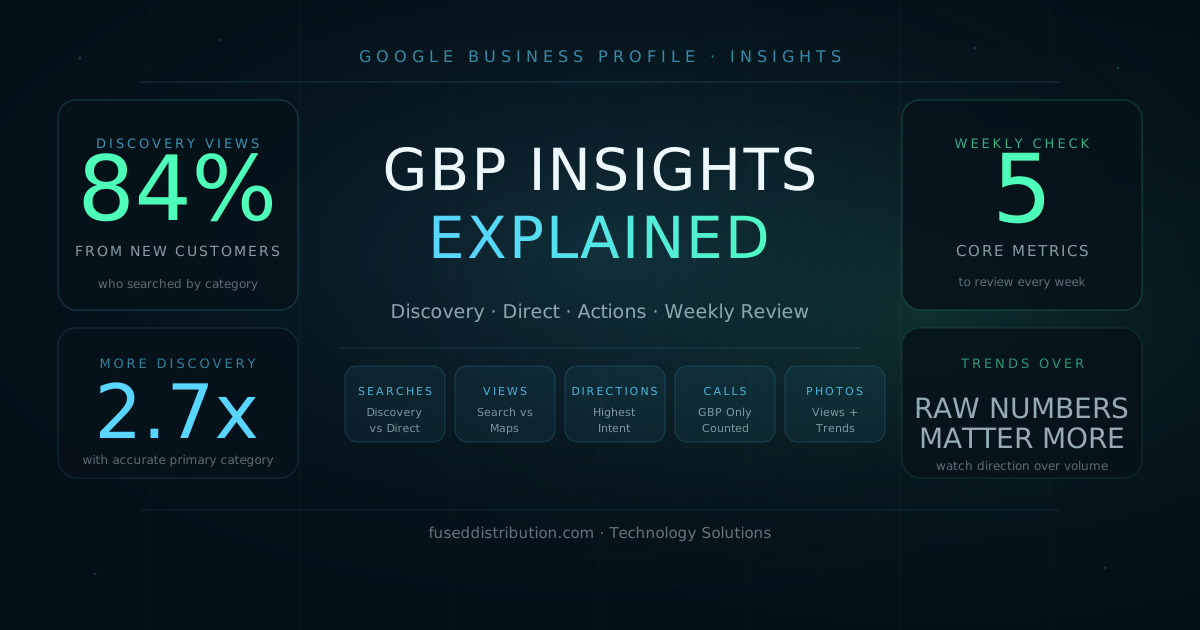
Google Business Profile Insights is the analytics section of your GBP dashboard. It shows how many people found your profile, how they found it, and what they did after seeing it. The most useful split is between Discovery searches, where someone searched a service category and your profile appeared, and Direct searches, where someone typed your business name. A high Discovery count means your profile is ranking for customers who do not know you yet. That is the metric that drives new business.
This guide explains what each section of GBP Insights measures, how to read the numbers correctly, and which five metrics to check every week to stay on top of your local visibility.
Where to Find GBP Insights
Go to business.google.com and click your business. In the left sidebar, click Performance or Insights depending on your account version. You can also access it from the Google Maps app: tap your profile photo, tap Your Business Profile, then tap Promote and Performance.
Set the date range to the last 28 days for most weekly reviews. For trend analysis, look at a 90-day window. The default view shows total searches, views, and customer actions. Each section drills down into subcategories.
Discovery vs. Direct Searches Explained
This is the most important distinction in GBP Insights. Google splits your search appearances into two types:
- Discovery searches: Someone searched for a category or service, like "electrician near me" or "best pizza downtown." Your profile appeared in the results. These are people who did not know your business name beforehand. Discovery searches represent new customer acquisition.
- Direct searches: Someone typed your business name or address. These are people who already know you. High Direct numbers are good for brand health, but they don't represent new reach.
- Branded searches: Searches that include your business name alongside a product or service, like "Nick's Plumbing water heater." These sit between Discovery and Direct.
Your goal is to grow Discovery searches over time. That means your profile is ranking for service-based queries from people who have never heard of you. If your Discovery numbers are flat or falling, your profile is not ranking for the categories and services local customers are actively searching.
In 2024, Google reports that businesses with an accurate and complete primary category receive 2.7 times more Discovery searches than businesses with a partial or incorrect one. If your Discovery count is low, the first thing to check is your primary category and the list of secondary categories in your profile settings.
Search Views vs. Maps Views
GBP Insights splits your views into two sources: Google Search and Google Maps. These tell you different things about how people find your business.
- Search views: Your profile appeared in a standard Google search result, usually as a local pack listing to the right of or above the organic results. Search views tend to dominate for service businesses where people are looking for a phone number or hours before deciding to call.
- Maps views: Someone opened Google Maps and your pin appeared in their search. Maps views are higher for businesses people navigate to in person, like restaurants, retail stores, and clinics.
A sharp drop in Maps views often signals a ranking change in Google Maps specifically. A drop in Search views can indicate a broader local ranking shift. Watch both trends together rather than treating them as a single combined number.
Customer Actions: Calls, Directions, and Website Clicks
The Customer Actions section in Insights tracks what people actually did after viewing your profile. These are the most important numbers because they connect your GBP visibility to real business activity.
- Calls: Counts only calls placed by pressing the phone button directly in your GBP listing. Calls from your website, from an ad, or from someone who remembered your number are not counted here. A flat or falling call count while views hold steady usually means your phone number is wrong, your listing is getting clicks from people outside your service area, or your reviews are discouraging action.
- Direction requests: Someone tapped "Get directions" on your listing. This is a strong signal of intent. People requesting directions plan to come to you. A high direction count relative to your view count is a healthy ratio for physical location businesses.
- Website clicks: Clicks on your website URL from the GBP listing. This number is useful alongside your analytics tool. If GBP shows 200 website clicks but your analytics shows 80 sessions from Google Maps, some of those clicks went to a browser that didn't load, a phone without data, or an outdated URL.
For context on how these numbers connect to your profile health, see what your GBP Insights are actually telling you.
Photo and Video Views in Insights
GBP Insights tracks how many times your photos and videos have been viewed. This number includes views from people browsing your profile and views from photos that appear in search results. A growing photo view count alongside stable or rising direction requests is a good signal. Your photos are building enough trust to push people toward action.
- Check whether your photo view count is growing month over month. If it's flat, you may not have added new photos recently, or your existing photos may not be indexing well.
- Businesses with photos receive 42 percent more direction requests than businesses without photos, according to Google. Photo quantity matters even if individual photo views are low.
- Add at least one new photo per month. Google prioritizes recently uploaded photos in certain search displays.
- Name photo files descriptively before uploading. File names are readable by Google's indexing system.
How to Use Insights to Improve Your Profile
GBP Insights is most useful as a diagnostic tool, not just a scoreboard. When a number drops, ask what changed on your profile, in your review count, or in your local market that week. When a number rises, ask what you did that might have caused it.
Check these five metrics every week, in this order:
- Discovery searches: Are new people finding you through service queries? Flat or falling means a ranking problem.
- Total views: Are people seeing your profile at all? A drop here is usually a ranking signal.
- Direction requests: The highest-intent action metric. A drop while views hold is a trust or information problem.
- Phone calls: Compare week over week. A sudden drop while directions hold may mean your phone number is wrong.
- Photo views: Growing or flat? If flat, add new photos this week.
If Discovery searches are falling, check your primary category first, then your service list, then your description. These three profile fields have the most direct impact on which service queries you rank for. For the full optimization checklist, see the GBP optimization guide.
Frequently Asked Questions
Sources
- Google — See how customers search for your business. support.google.com/business/answer/7689763
- Google — Improve your local ranking on Google. support.google.com/business/answer/7091
- Google — Add photos and videos to your Business Profile. support.google.com/business/answer/6103862
- Google Consumer Insights — Understanding Consumers' Local Search Behavior, 2019. thinkwithgoogle.com