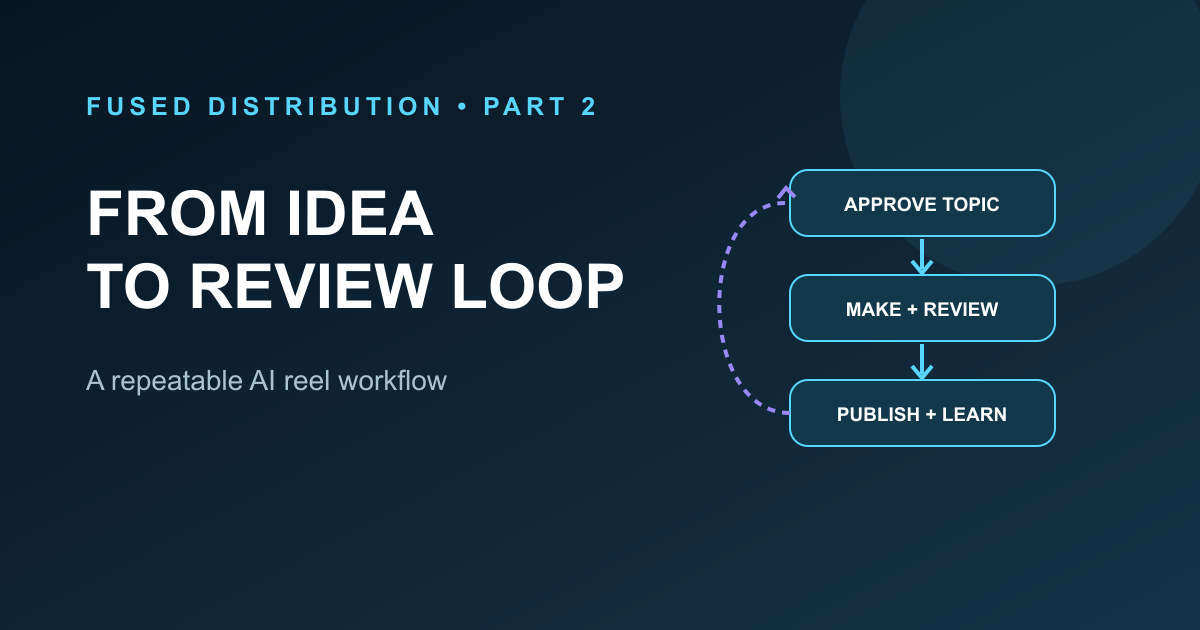
Gather and approve → Topics and footage
Draft and review → Facts, voice, captions, visuals
Publish and learn → Measure, adjust, repeat
Part one covered the building blocks for a first batch: real business footage, approved topics, a labeled clip library, one consistent voice, and a few reviewed tests. Read the beginner guide first, then use this workflow to turn those pieces into a repeatable process. It follows the flowchart from the supplied source file, while adding practical checks for rights, accuracy, workload, and results.
The supplied flowchart has ten numbered boxes. The written checklist in the same guide has twelve items: it adds cost control and plugging into existing help. This article keeps the flowchart's order and includes those two practical steps. Open the printable and shareable flowchart beside the topic bank. Use it as a checklist, not as a promise that every step can run without a person.
1. Gather real material
Start with current photos and clips that show the services, products, people, or work process you can honestly describe. Prefer your own footage when you can collect it safely. Use stock video only when it fills a real visual gap, and record its source and license. Illustrations should look like illustrations. Do not use a scene that could make a viewer think a stock actor is your customer or staff member.
Ask for consent before using an identifiable person in marketing. Avoid addresses, account screens, vehicle plates, customer documents, and private details. Keep original files in a controlled folder and share only the clips needed for the task.
2. Build a topic bank
List customer questions, service explanations, common errors, seasonal reminders, and useful stories. A year of ideas is a helpful planning goal, but a smaller approved list is enough to start. Give each idea a topic, audience, question, one sentence answer, proof needed, visual options, and a status. Mark topics that depend on a current price, product detail, rule, or statistic for fact checking before writing.
A list does not have to be finished before you learn. Add ideas from calls and messages without placing private details in a public script. Rewrite a specific customer's story as a general question unless you have explicit permission to share the story.
3. Approve the next topic
The owner or a qualified reviewer should approve what the next video will cover. Approval should include the audience, key point, evidence, and any claims that must be avoided. Keep the approved brief with the draft. If the topic changes, update the brief before the script is finalized. This makes it easier to spot drift than trying to infer the original goal from a finished edit.
4. Organize the B roll backlog
Use short, labeled clips that can support multiple approved topics. A useful label explains the scene: packing a customer order, measuring a doorway, or team opening the workshop. Store permission and license notes beside the asset. Record restrictions such as date, location, customer approval, or a short period of allowed use.
Select clips for meaning, not just color. A video about a roof inspection should not show a scene that implies someone is climbing an unsafe roof. A clip of a product should show the correct product. Review the final sequence while listening to the narration so each scene supports the sentence on screen.
5. Choose and protect the voice
Choose a recorded voice or a consistent narration voice. If you use a person's recording or a voice replica, get permission, document the allowed use, and secure the source files. Do not make someone appear to endorse an offer or claim they did not approve. Check pronunciation, numbers, pauses, and captions before the render is approved.
6. Generate a small test batch
Make a few videos from different approved topics. Keep a simple record of what changed in each one: opening, example, visual style, or pacing. Avoid changing every element at once. A batch is useful only if a reviewer watches the actual exported files, not just a preview frame or a draft transcript.
Use a short review sheet. Confirm that the topic is approved, statements match their sources, captions match the audio, the opening is clear, visuals fit the words, text stays inside the frame, and music or footage is allowed. Check the final link and call to action. Repair issues before scheduling.
7. Fine tune with controlled changes
When something is wrong, write down the exact problem and the fix. Examples include a mispronounced name, text that is too small, a clip that contradicts the narration, or an unclear first sentence. Make the smallest useful correction and watch the updated export again. Do not assume a corrected script fixed an old video; verify the new file.
Keep both good and bad results in the learning log. Note the topic, opening, length, platform, publish date, and meaningful audience measures. A single post can be noisy. Look for repeated patterns across comparable videos before changing the standard workflow.
8. Keep production cost visible
Track the time, paid services, local compute, and rework used for each batch. Use local tools or simple scripts when they are reliable and appropriate. A lower bill is not a win if the workflow creates errors, uses unapproved footage, or takes longer to repair than to make. Reuse a cleared voice, template, or asset when it still fits, and record when something was newly generated or reused. For a related approach to safe automation, see how to choose a low risk first AI task.
Set a stop point before expensive rendering. If facts, rights, narration, or story structure are unresolved, repair those first. If a system fails, preserve the working files and error details so the next attempt can resume instead of rebuilding completed steps.
9. Set a sustainable cadence
The source flowchart suggests two posts a day for maximum reach. Current YouTube guidance does not support that as a universal rule. YouTube says there is no minimum Shorts cadence required for performance and recommends a schedule that is consistent and sustainable. It also describes recommendations as viewer matched and based on audience response and other context. Read YouTube's upload schedule tips and Shorts discovery guidance.
Use the audience and production capacity you actually have. Choose a pace that leaves time for review and customer work. If you want to test more posts, treat that as a measured experiment. Compare similar topics and formats, track the workload, and stop if quality or service suffers.
10. Publish to the right places
Pick one platform as the original home for each video, then make a copy for other channels where customers already spend time. Check each platform's current file limits, audio rights, crop, caption options, and link rules. A workflow can start with Shorts, as the supplied chart does, but that order is an operating choice rather than a guarantee of extra reach. A person who already manages your pages can receive a reviewed posting pack instead of being asked to change their whole routine.
For every post, record the final file, caption, platform, link, schedule, and the platform's confirmation. A local success message is not proof that a post is actually scheduled or live. Reconcile failed uploads and missing media before repeating the post.
11. Review winners and misses
Wait long enough for useful platform data, then compare videos with similar audiences and topics. Watch retention, views, comments, shares, saves, inquiries, and qualified leads where available. For business decisions, connect attention to the outcome you care about, such as a real inquiry or a sale. Do not call views revenue.
Keep a winning pattern only when its quality and business result hold up. Keep a poor result in the record and ask whether the subject, opening, timing, or edit made the idea hard to understand. Retire an approach when enough comparable attempts show it is not useful. Then feed the learning back into the topic bank.
12. Loop back to the topic bank
The loop is the point of the flowchart. Questions lead to approved topics. Real footage supports a draft. Review catches unsupported details. A measured release teaches you what to try next. Update the topic bank with new questions and corrections, then repeat the cycle.
A small operating checklist
- Is this topic approved and useful to a specific customer?
- Do we have the rights and permission for every voice, face, clip, and song?
- Can every factual claim be checked?
- Does the final video match the approved script and pass phone sized review?
- Is the publishing pace sustainable for the team?
- Did we record the final status and the results we can actually verify?
This system should make publishing easier to repeat, not harder to supervise. Automation can move files, prepare drafts, and help with routine edits. People still decide what the business stands behind, who can appear in a video, and whether the final post is ready.
Sources
- YouTube Help, “Upload schedule tips for Shorts,” accessed November 1, 2026: https://support.google.com/youtube/answer/13616979
- YouTube Help, “Search and discovery tips for Shorts,” accessed November 1, 2026: https://support.google.com/youtube/answer/11914225
- The companion AI reels flowchart is adapted from the source file supplied for this project. Its ten step structure is preserved, and the cadence note is updated to avoid promising a reach result.